Hướng dẫn tham gia cho người xác thực
Sau khi hoàn tất việc thiết lập tài khoản quản trị viên, bạn có thể thực hiện các bước đăng ký trên chuỗi để trở thành người xác thực. Lưu ý rằng bạn phải khởi chạy một Nút đồng thuận (kcn) thực sự trước khi bắt đầu quy trình này.
Để trở thành người xác thực Kaia, bạn cần triển khai một hợp đồng staking và gửi địa chỉ của hợp đồng staking cùng với các thông tin cần thiết khác.
Trong Giai đoạn 1 không cần xin phép, quá trình đăng ký cần có sự phê duyệt của ban quản trị từ Nhóm Kaia để đảm bảo hoạt động diễn ra suôn sẻ. Một nhà điều hành trình xác thực mới có thể gửi yêu cầu tham gia, và Nhóm Kaia sẽ hoàn tất thủ tục đăng ký trên chuỗi sau khi hoàn tất quy trình phê duyệt nội bộ.
Bắt đầu từ Giai đoạn 2 không cần xin phép sắp tới, thông tin có thể được đăng ký trực tiếp trên chuỗi khối mà không cần sự phê duyệt hành chính từ Nhóm Kaia.
Sau khi đăng ký, thông tin của người xác thực sẽ được ghi lại trong các hợp đồng AddressBook và SimpleBlsRegistry, mà các nút Kaia sẽ tham chiếu trong quá trình đạt đồng thuận. Để biết thêm chi tiết kỹ thuật về việc đăng ký Trình xác thực tự động, vui lòng tham khảo KIP-277.
Triển khai hợp đồng staking đầu tiên của bạn
Chuyển đến menu Triển khai hợp đồng staking để triển khai hợp đồng staking.
Hiện tại, một hợp đồng staking có thể đăng ký nhiều tài khoản quản trị, nhưng bắt đầu từ Giai đoạn 2 không cần xin phép, mỗi hợp đồng staking chỉ được phép có một tài khoản quản trị. Vì lý do này, chúng tôi khuyên bạn nên đăng ký một tài khoản Safe Wallet duy nhất làm tài khoản quản trị.
Trước khi triển khai hợp đồng staking, bạn cũng cần một tài khoản tạm thời khác — ngoài tài khoản quản trị — để thực hiện việc triển khai. Tài khoản này được gọi là bộ xác thực hợp đồng và được duy trì để đảm bảo khả năng tương thích ngược. Vì tài khoản quản trị hợp đồng staking và tài khoản quản lý validator thường được tách biệt, bạn có thể tái sử dụng tài khoản quản lý validator làm validator của hợp đồng.
Ví quản trị hợp đồng staking và ví xác thực hợp đồng tạm thời mỗi cái phải nắm giữ một lượng nhỏ KAIA. Khi mọi thứ đã sẵn sàng, hãy thực hiện các bước dưới đây.
-
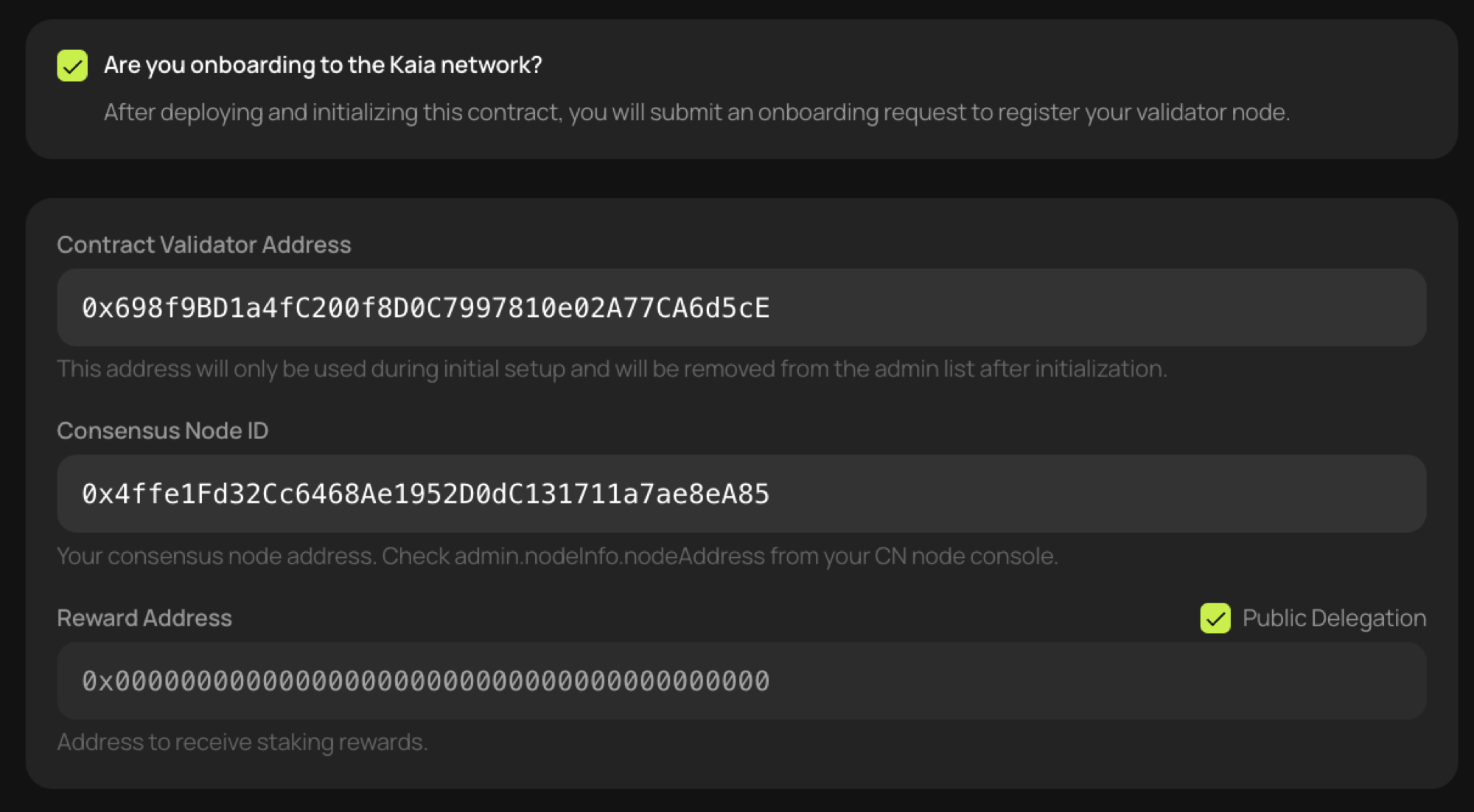
Hãy nhấp vào ô chọn [Bạn đang tham gia mạng lưới Kaia?].
-
Nhập địa chỉ tài khoản trình xác thực hợp đồng mà bạn đã chuẩn bị sẵn.
-
Đối với ID nút đồng thuận, hãy nhập địa chỉ được trả về khi gọi hàm RPC
admin.nodeInfo.nodeAddresstrên bảng điều khiển CN. -
Địa chỉ nhận thưởng phụ thuộc vào việc bạn có sử dụng tính năng Ủy quyền công khai hay không.
- Để tham gia với tư cách là người xác thực mà không cần ủy quyền công khai, hãy nhập địa chỉ sẽ nhận phần thưởng trực tiếp.
- Để đăng ký với tính năng Ủy quyền công khai được bật, hãy nhấp vào ô chọn Ủy quyền công khai. Sau đó, phần thưởng sẽ được tự động phân phối cho những người ủy quyền thông qua hợp đồng Ủy quyền Công khai.
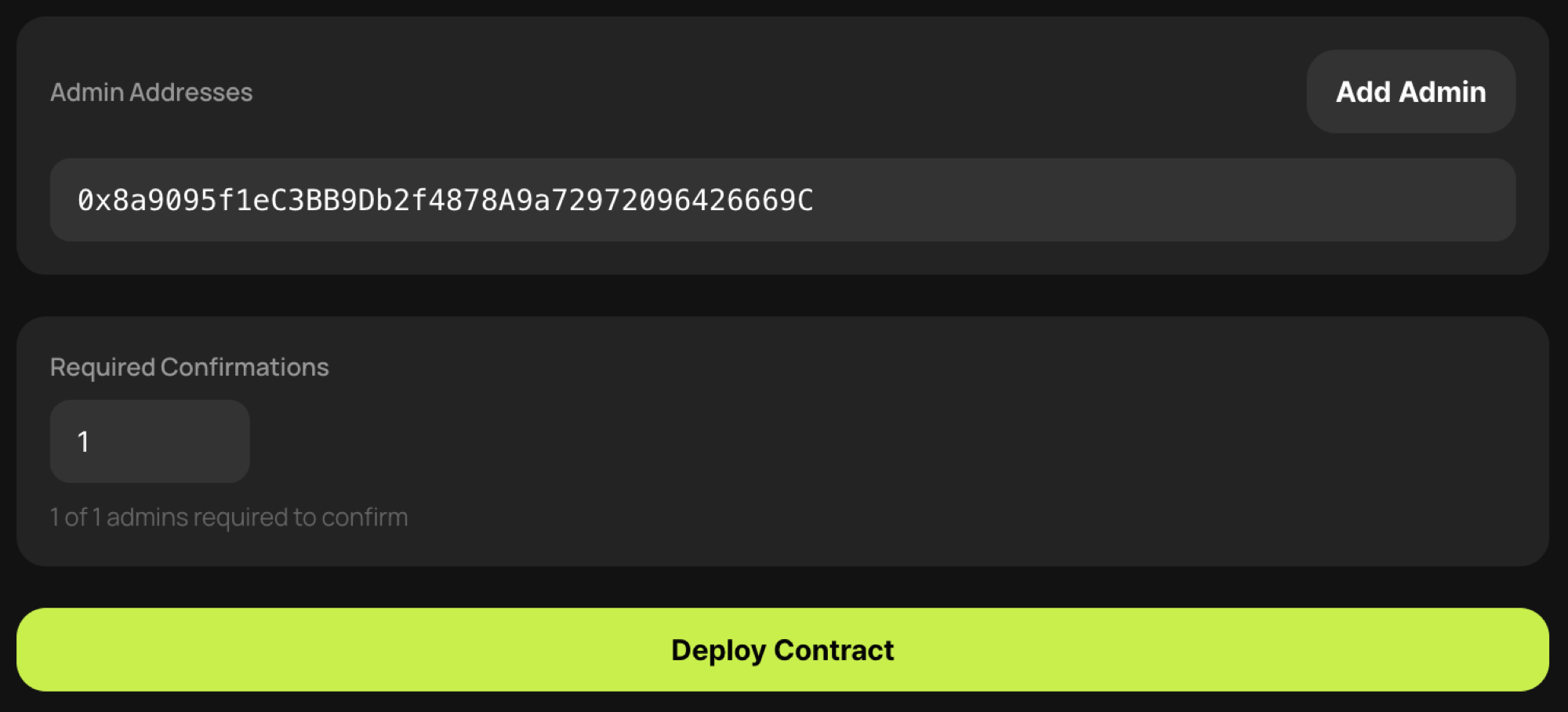
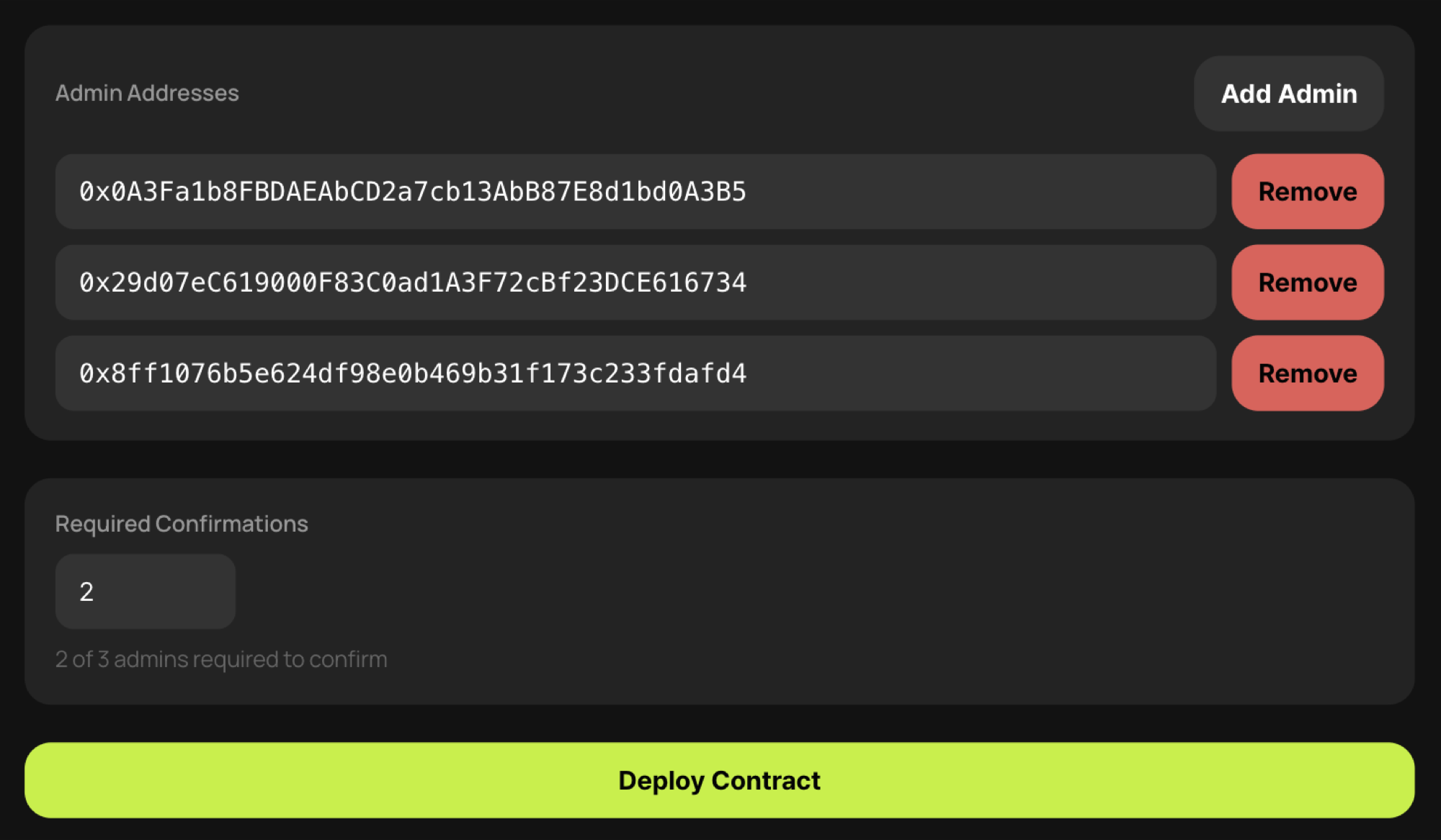
- Nhập địa chỉ quản trị hợp đồng staking và ngưỡng đa chữ ký. Nếu bạn nhập địa chỉ Safe Wallet làm địa chỉ quản trị và đặt ngưỡng là
1, chức năng đa chữ ký sẽ do Safe xử lý. Nếu bạn nhập nhiều địa chỉ quản trị và đặt ngưỡng ở một giá trị tùy ý, chức năng đa chữ ký sẽ được xử lý trong menu Quản lý Staking.
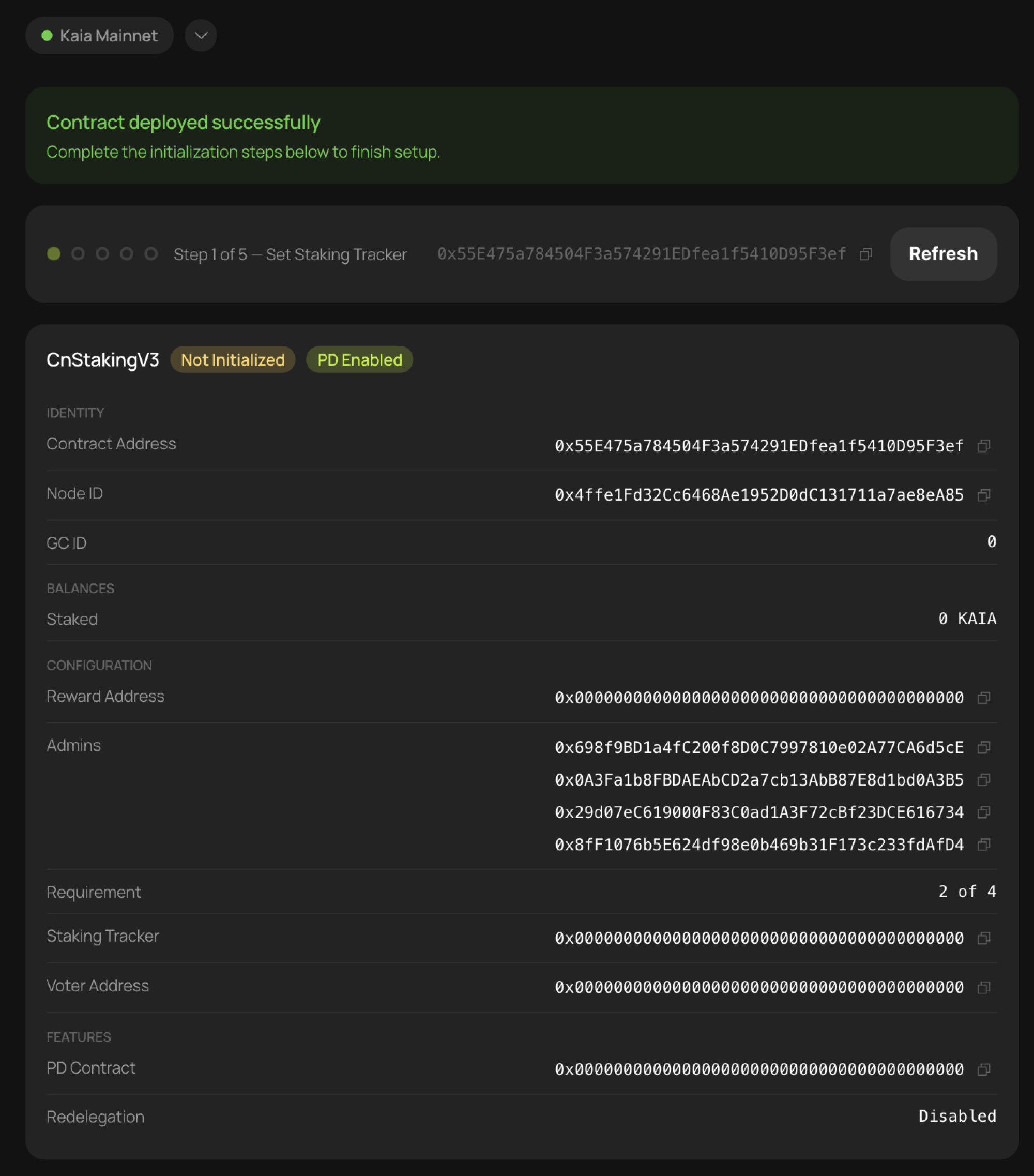
- Nhấp vào [Triển khai hợp đồng] để thực hiện giao dịch. Sau khi hợp đồng được triển khai, nó sẽ hiển thị ở trạng thái [Chưa được khởi tạo].
Khởi tạo hợp đồng staking
Một hợp đồng staking mới được triển khai phải được khởi tạo trước khi có thể sử dụng. Hãy nhập thông tin cần thiết và gửi một giao dịch từ mỗi tài khoản quản trị để xác minh các ví, sau đó hợp đồng sẽ có thể sử dụng được.
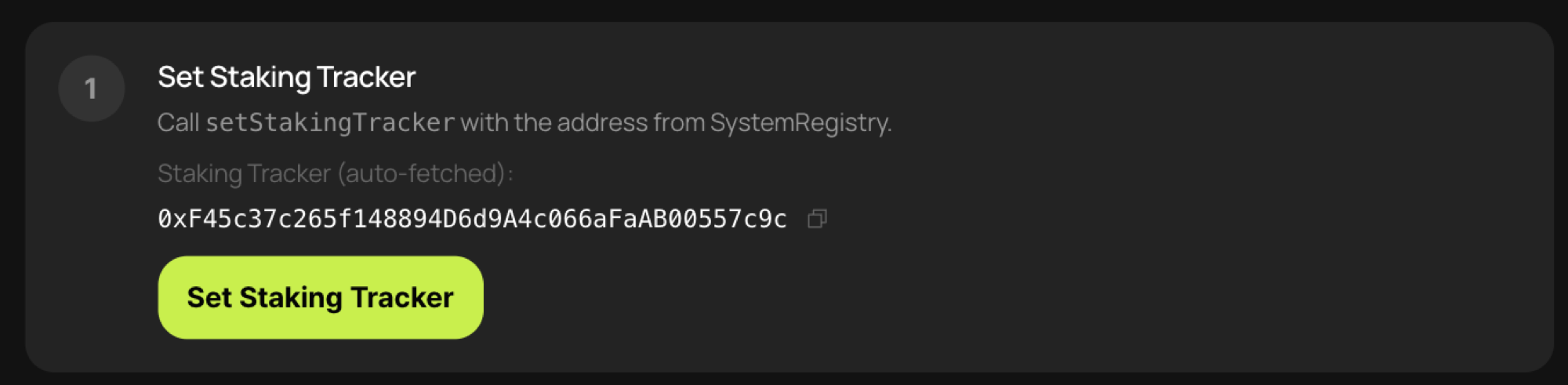
- Nhấp vào [Đặt Staking Tracker] để nhập địa chỉ Staking Tracker vào hợp đồng staking. Địa chỉ Staking Tracker chính xác sẽ được điền tự động.
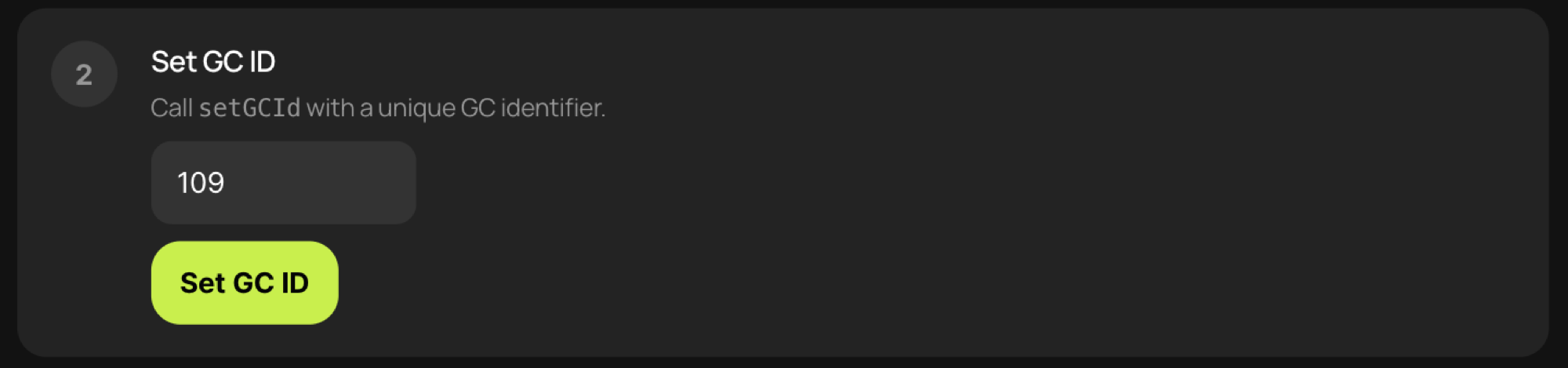
- Nhận mã GC ID từ Nhóm Kaia và nhập mã đó vào. Nhấp vào [Đặt ID GC] để ghi ID GC vào hợp đồng staking. Bắt đầu từ Giai đoạn 2 không cần xin phép, GC ID sẽ được cấp tự động.

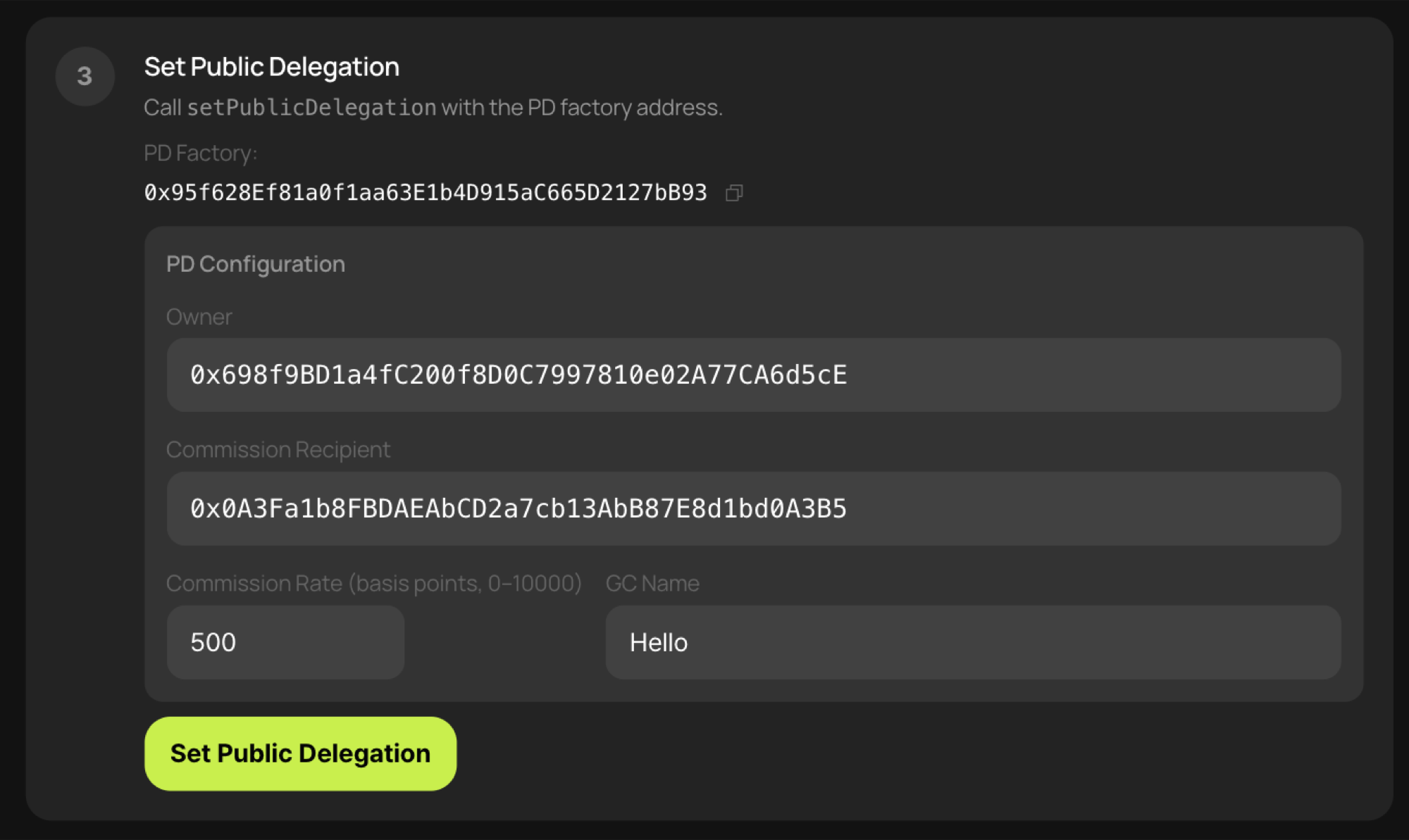
- Nếu tính năng Ủy quyền công khai đã được bật, hãy nhập thông tin liên quan. Bỏ qua bước này nếu tính năng Ủy quyền công khai chưa được bật trong quá trình triển khai hợp đồng.
- Chủ tài khoản: tài khoản có quyền thay đổi người nhận hoa hồng và tỷ lệ hoa hồng.
- Người nhận hoa hồng: tài khoản nhận hoa hồng.
- Tỷ lệ hoa hồng: một giá trị tính bằng điểm cơ bản nằm trong khoảng từ
0đến10000. - Tên GC: tên ngắn sẽ được hiển thị dưới dạng tên token pdKAIA. Ví dụ: nếu Tên GC là
Hello, tên token ký gửi của Public Delegation sẽ làHello-pdKAIA. (Ví dụ: kaiascan tìm kiếm token pdKAIA)
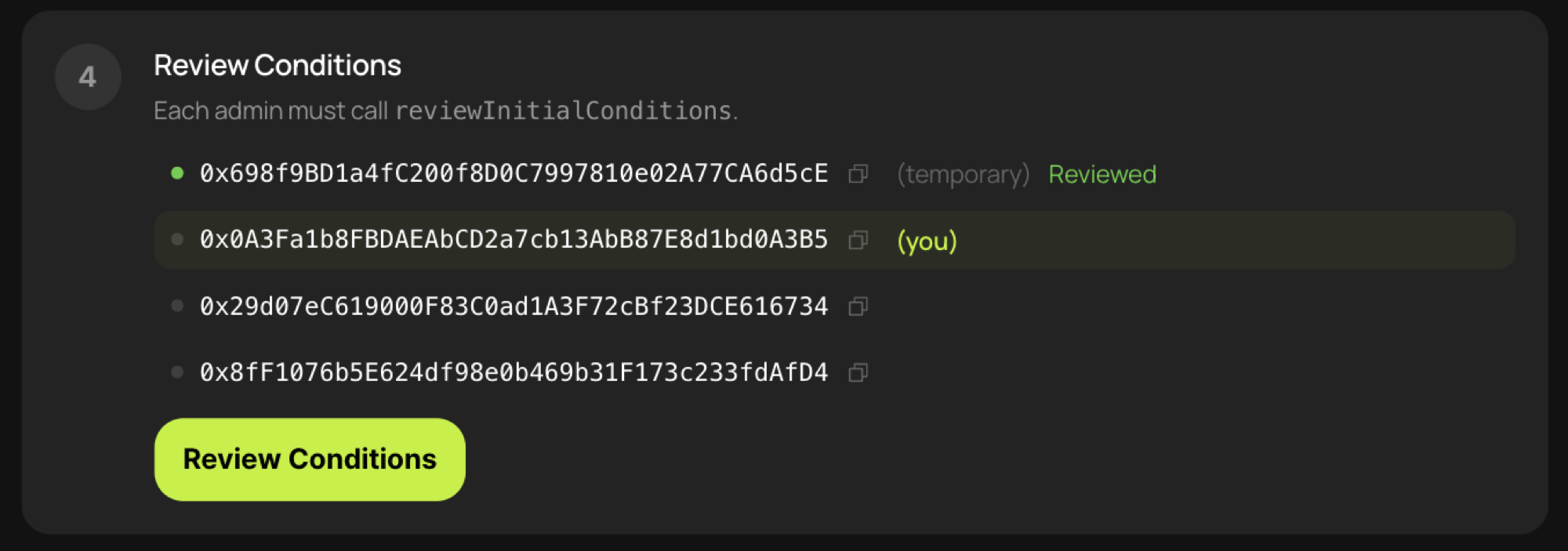
- Gửi một giao dịch từ bộ xác thực hợp đồng đã thiết lập trước đó và từ mỗi quản trị viên hợp đồng staking để xác minh các ví. Hãy đăng nhập lần lượt bằng từng ví và nhấp vào [Xem lại điều kiện] một lần cho mỗi ví.

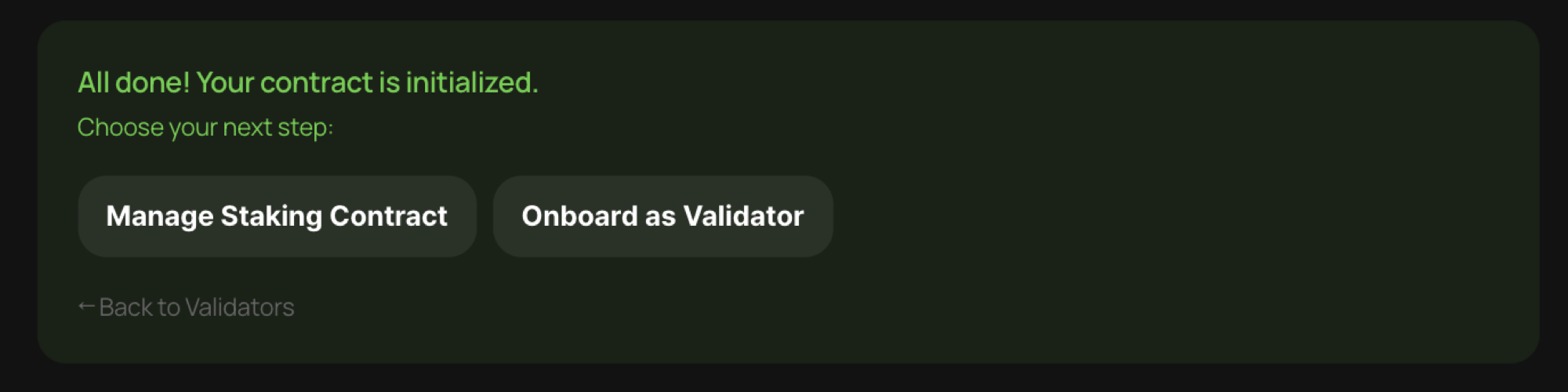
- Cuối cùng, hãy nhấp vào [Nạp tiền & Khởi tạo] để hoàn tất quá trình khởi tạo hợp đồng.
Gửi yêu cầu đăng ký
Khi bạn quay lại menu Trang chủ, hợp đồng staking đã được triển khai sẽ hiển thị ở trạng thái [Đã khởi tạo].
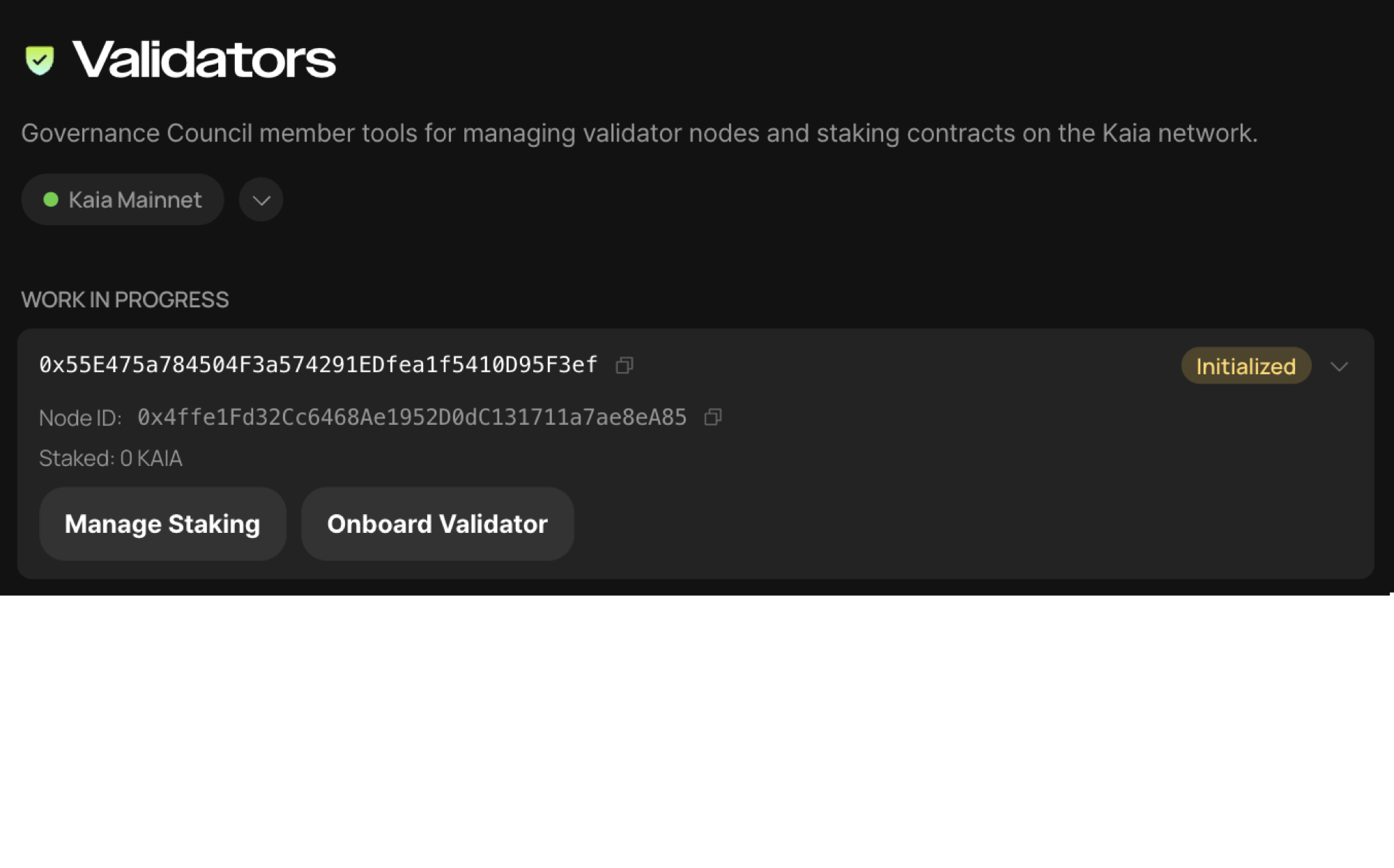
Nhấp vào [Trình xác thực đăng ký] để gửi yêu cầu đăng ký đến Nhóm Kaia.
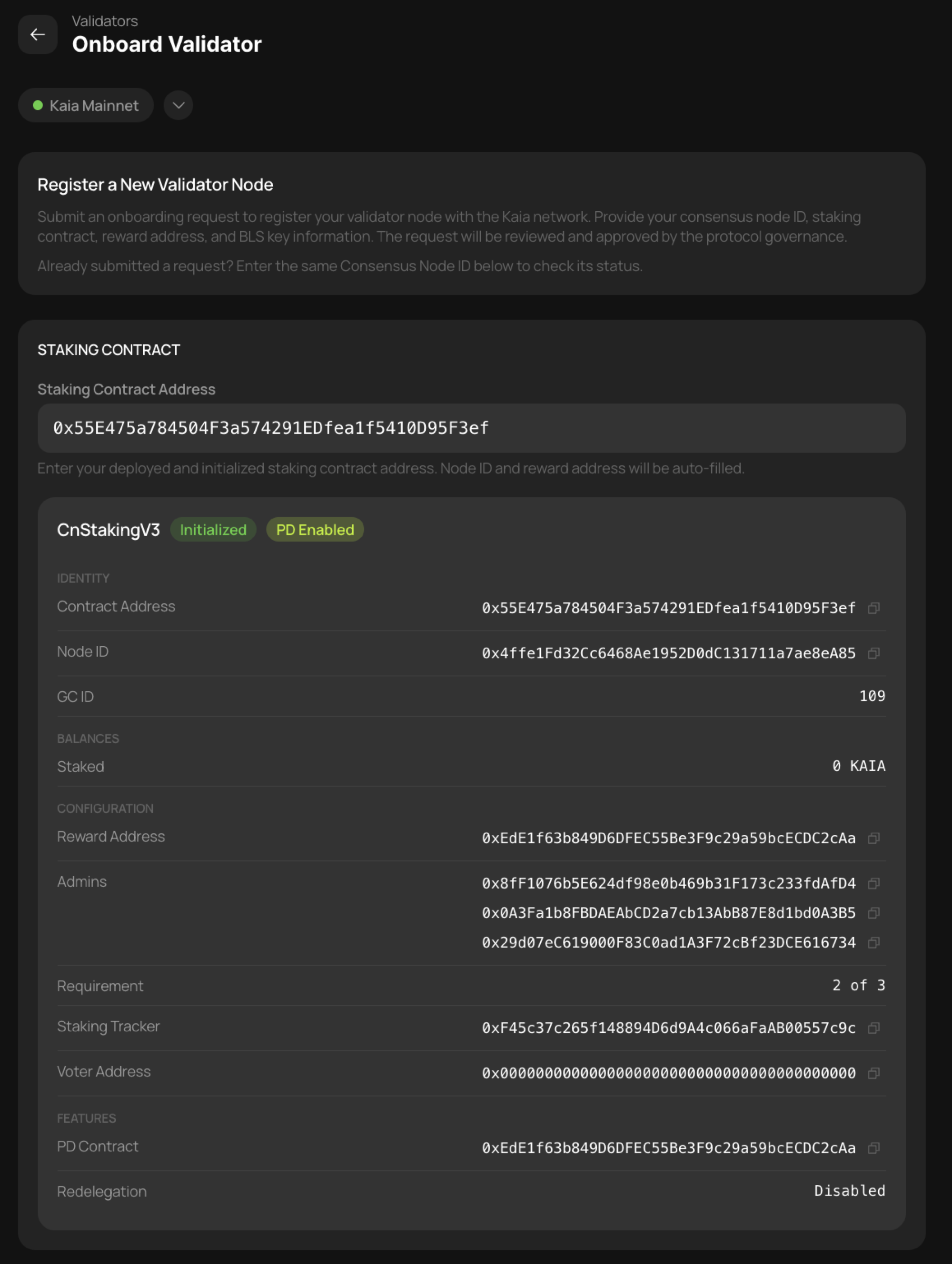
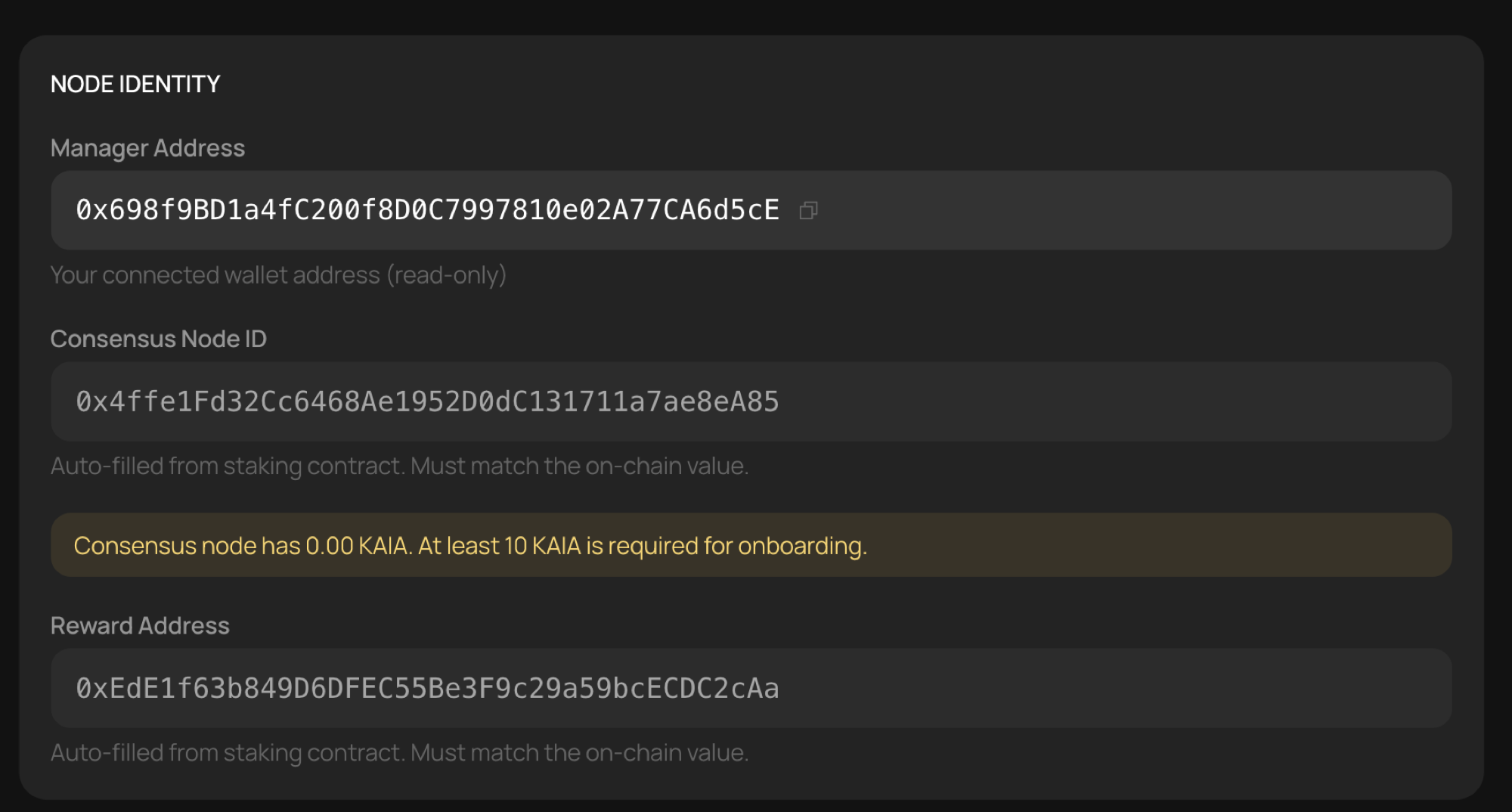
- Hãy xem lại thông tin được hiển thị.
- Xem lại thông tin về nút. Địa chỉ Consensus Node ID phải có ít nhất 10 KAIA — mức tối thiểu cần thiết để xử lý các giao dịch Gas Abstraction và MEV Auction. 10 KAIA không bị trừ; số tiền này chỉ được sử dụng tạm thời trong quá trình xử lý các giao dịch đó và sau đó được trả lại ngay lập tức.
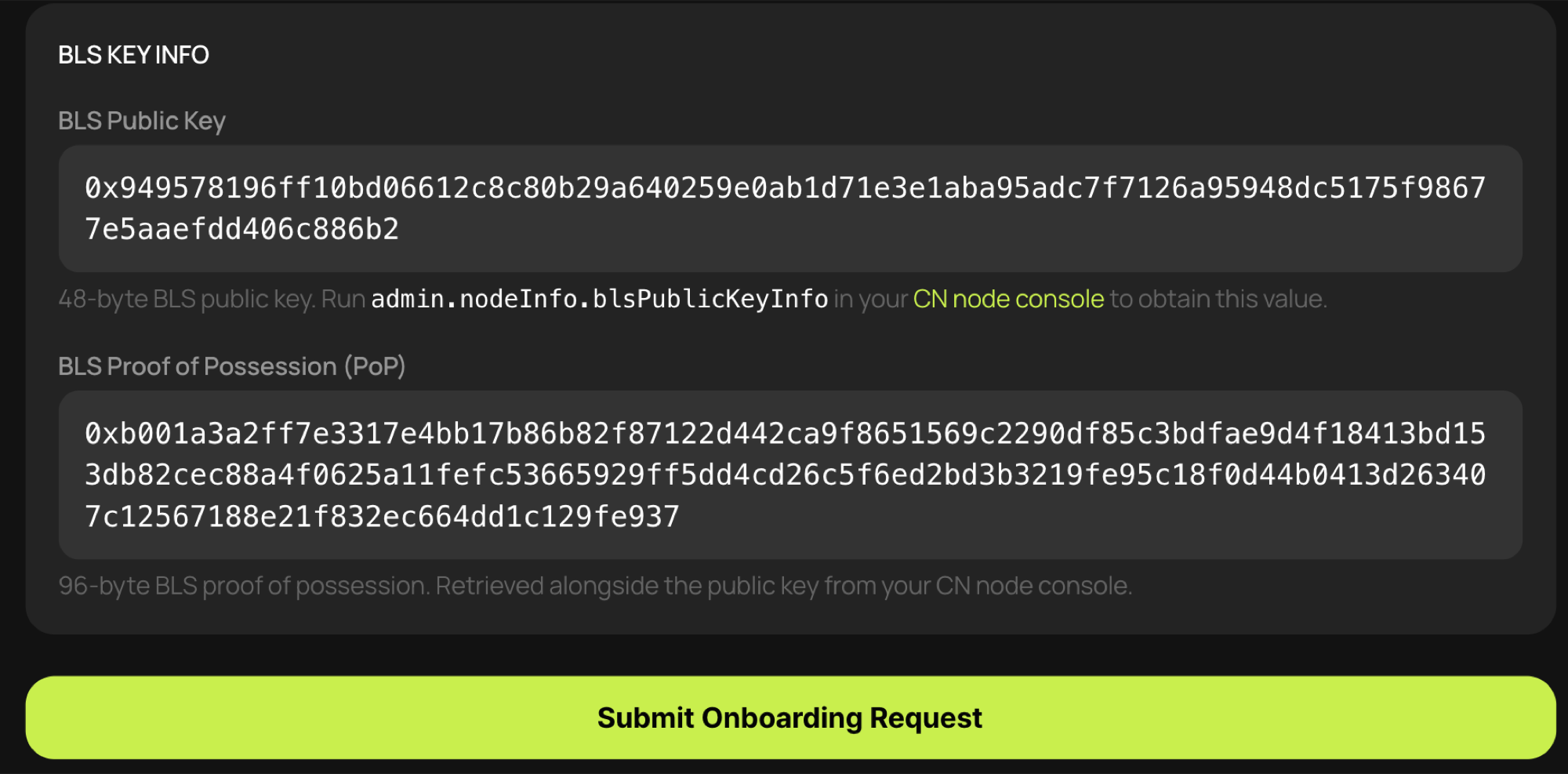
- Yêu cầu nút cung cấp thông tin khóa công khai BLS và nhập thông tin đó. Trên bảng điều khiển CN, hãy gọi hàm RPC
admin.nodeInfo.blsPublicKeyInfovà nhập các giá trịpublicKeyvàpopđược trả về.
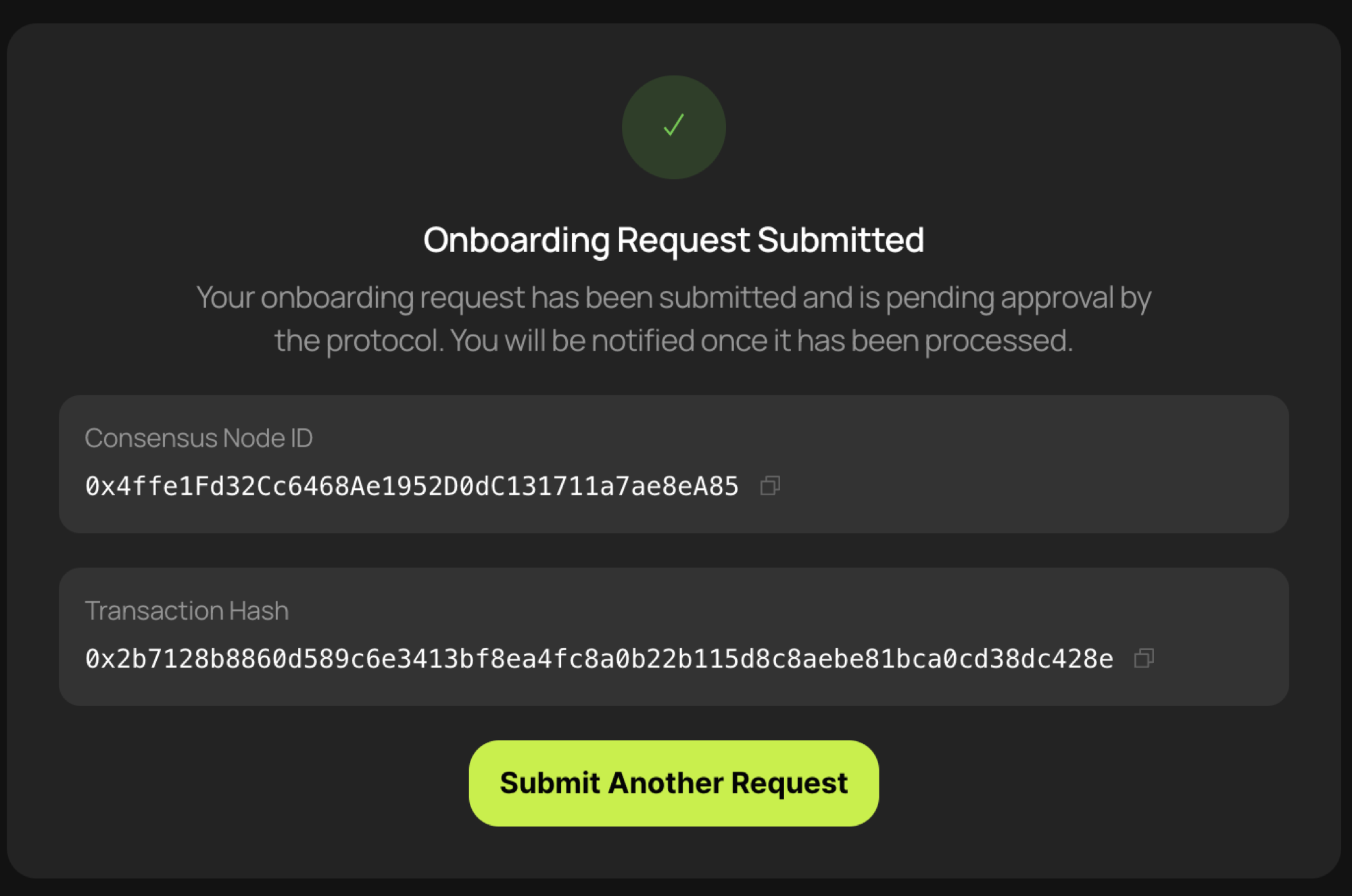
- Nhấp vào [Gửi yêu cầu đăng ký] để gửi yêu cầu đăng ký.