Điều kiện tiên quyết
Trước khi có thể đưa một trình xác thực vào hệ thống, bạn phải đăng ký một tài khoản quản trị viên trình xác thực có quyền quản lý tổng thể. Vì tài khoản này có thể thay đổi hầu hết các thông tin quan trọng liên quan đến trình xác thực, chúng tôi khuyên bạn nên sử dụng ví đa chữ ký — hoặc một loại ví có mức độ bảo mật tương đương — làm trình quản lý trình xác thực.
Nói chung, chúng tôi khuyến nghị sử dụng ví đa chữ ký được tạo thông qua Safe Wallet (thuộc Safe / Safe Global) làm trình quản lý trình xác thực. Phần còn lại của hướng dẫn này giả định rằng bạn đang sử dụng Safe Wallet trên Kaia.
Kết nối ví an toàn
Trước tiên, hãy làm theo Hướng dẫn sử dụng Safe Wallet để tạo tài khoản Safe. Sau đó, hãy đăng ký Cổng thông tin quản lý trình xác thực dưới dạng ứng dụng tùy chỉnh an toàn.
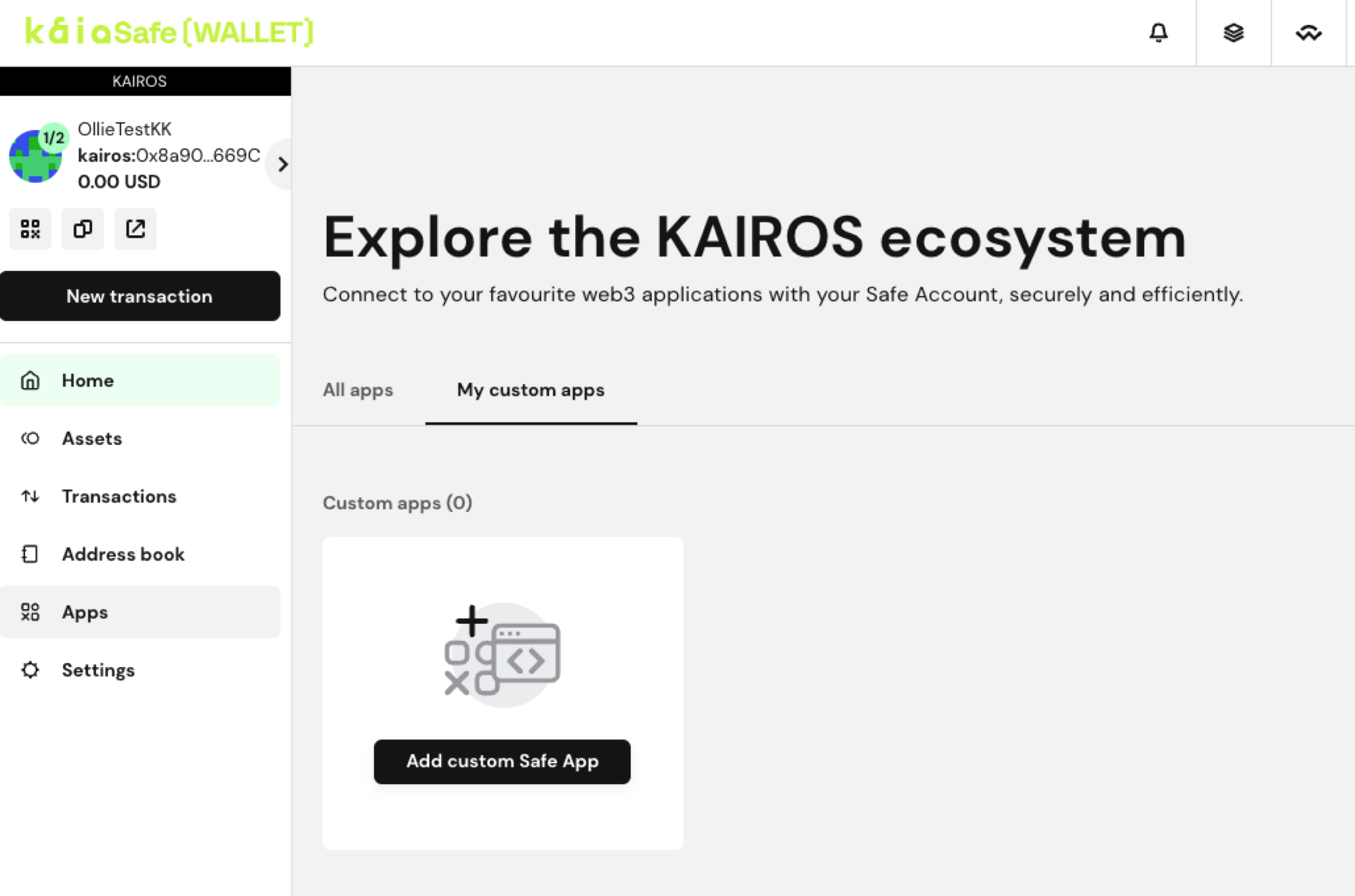
Nhấn vào Ứng dụng > Ứng dụng tùy chỉnh của tôi > Thêm ứng dụng an toàn tùy chỉnh.
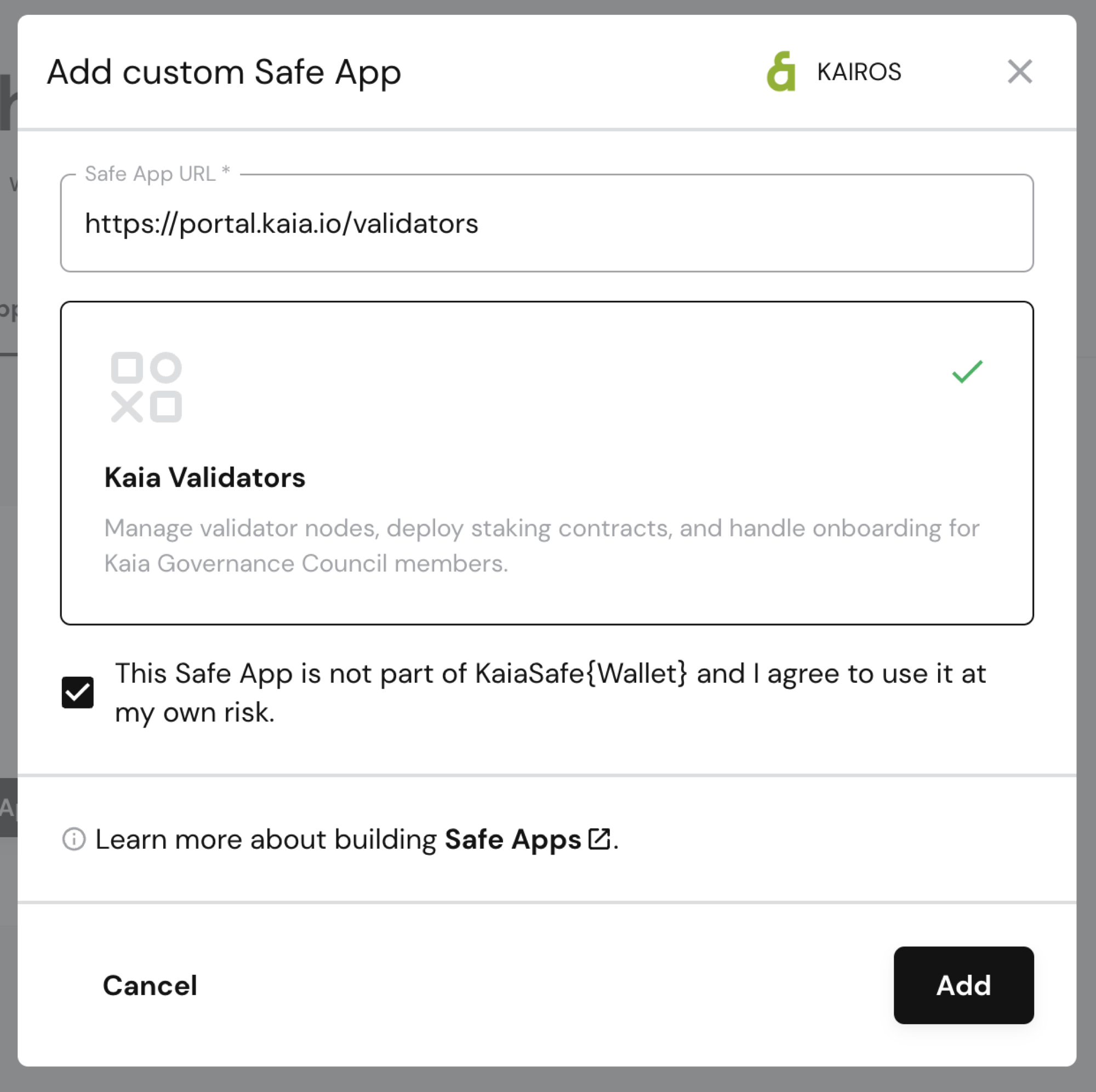
Hãy làm theo hướng dẫn an toàn và dán URL của cổng thông tin. Hãy kiểm tra xem thông tin cổng thông tin có được hiển thị chính xác ở bên dưới hay không, đánh dấu vào ô đồng ý với điều khoản miễn trừ trách nhiệm sau khi đã đọc kỹ, rồi nhấp vào Thêm.
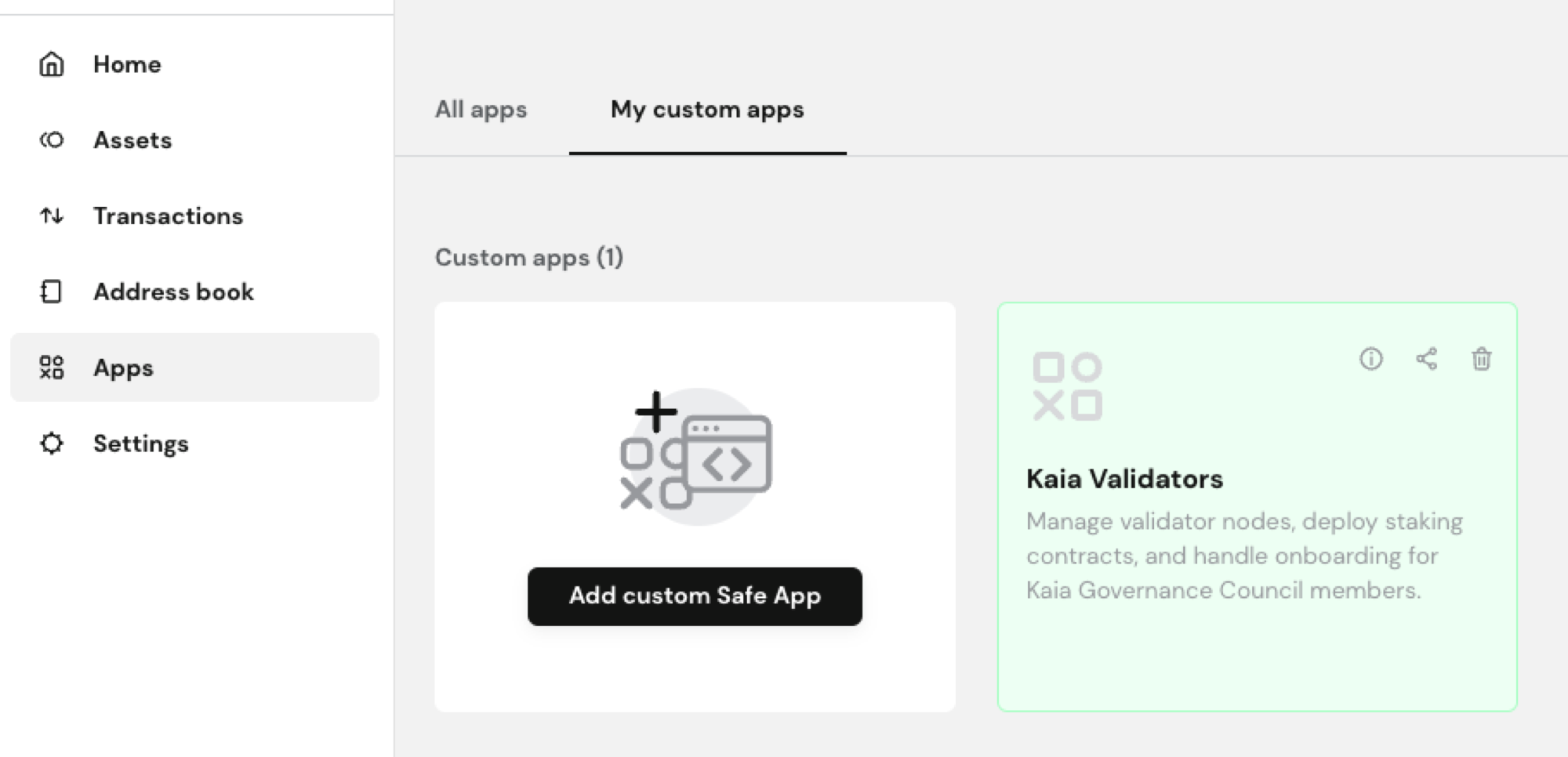
Sau khi đã thêm Cổng thông tin quản lý trình xác thực thành công, hãy truy cập Ứng dụng > Ứng dụng tùy chỉnh của tôi và nhấp vào thẻ Kaia Validators để mở cổng thông tin bằng tài khoản Safe của bạn.
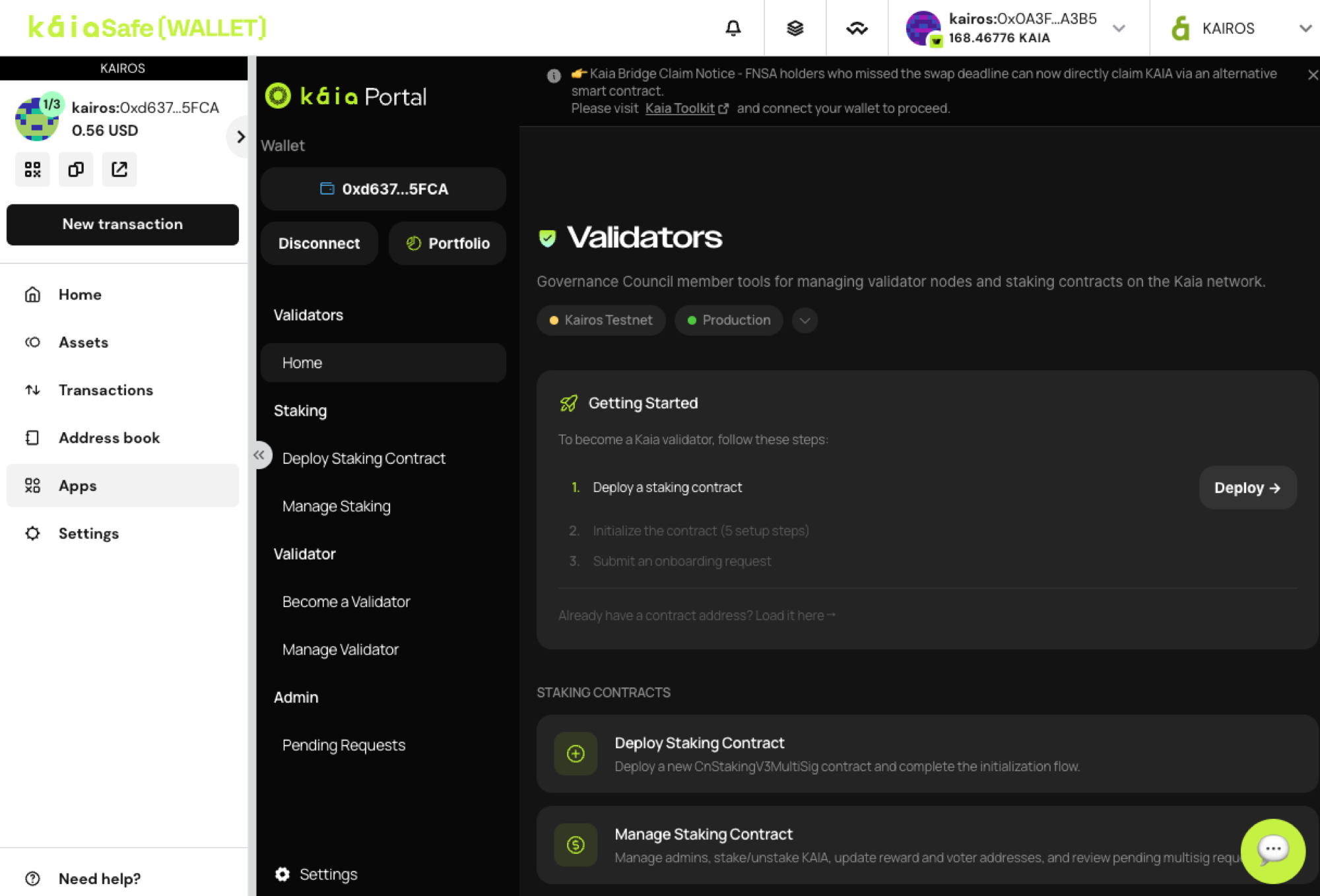
Khi truy cập vào trang web, bạn sẽ thấy ví Safe được kết nối ở bên trái. Từ nay trở đi, khi bạn thực hiện giao dịch từ cổng thông tin, giao dịch đó sẽ được ký và gửi qua Safe theo cấu hình đa chữ ký của bạn.
Kết nối ví khác
Việc sử dụng ví không hỗ trợ đa chữ ký (multisig) hoặc không có các biện pháp bảo mật tương đương để làm trình quản lý trình xác thực là không được khuyến nghị.
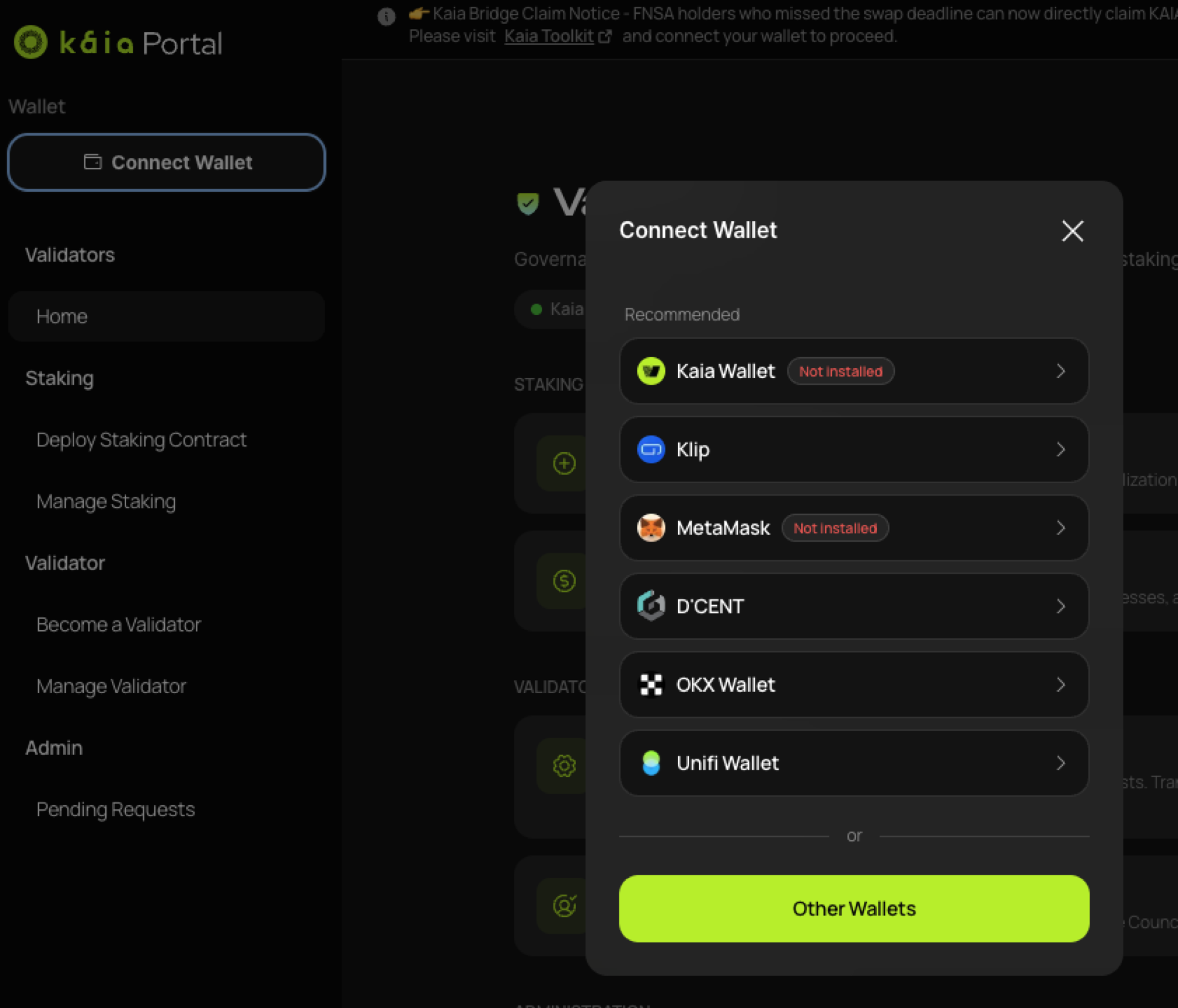
Nếu bạn muốn quản lý tài khoản quản trị viên bằng một ví khác, hãy nhấp vào Kết nối ví để kết nối ví đó.