Quản lý thông tin trình xác thực
Sau khi hoàn tất quá trình đăng ký, bạn có thể cập nhật thông tin của người xác thực.
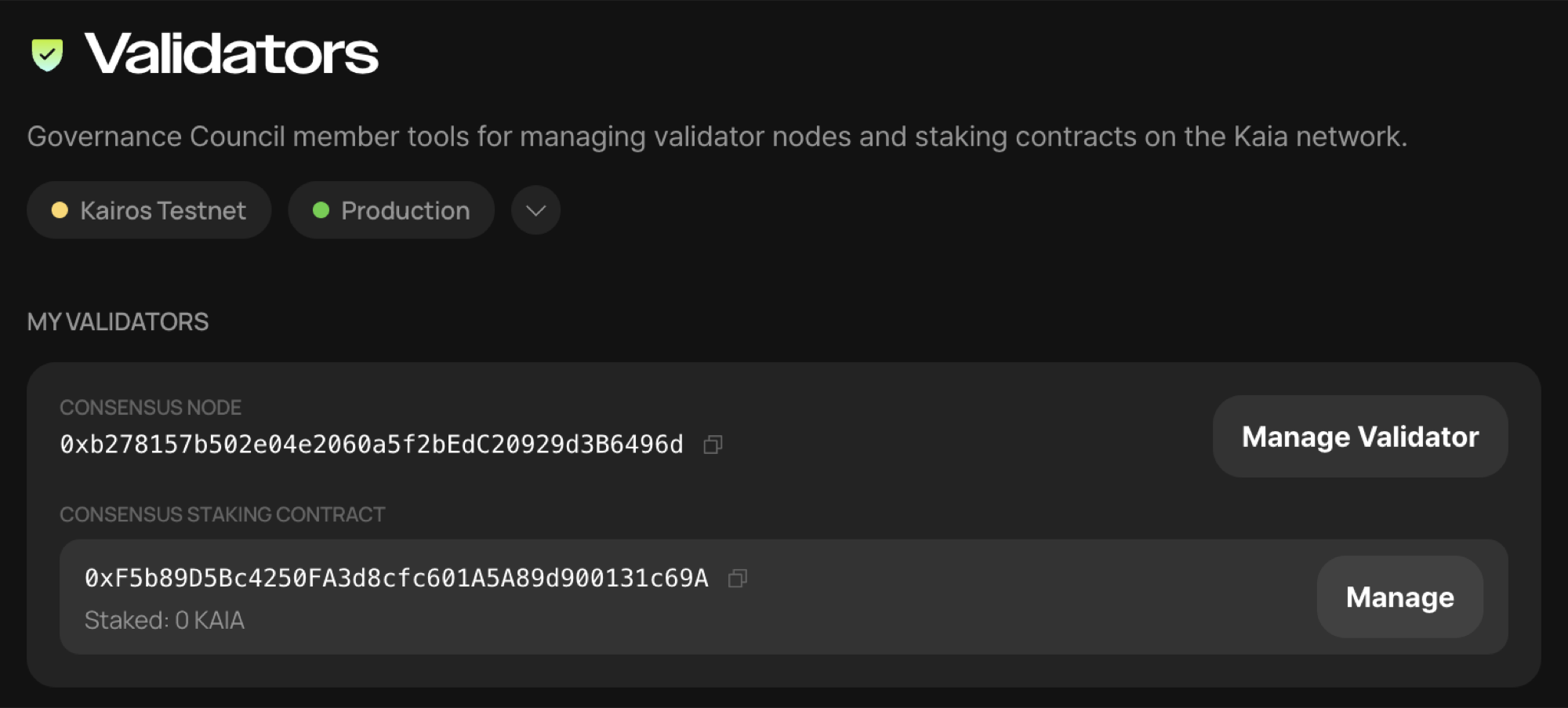
Sau khi đăng nhập với tư cách là quản trị viên trình xác thực và chuyển đến menu Trang chủ, bạn có thể thấy trình xác thực đã được tích hợp.
Trên màn hình này, hãy nhấp vào [Quản lý trình xác thực] để truy cập màn hình quản lý trình xác thực.
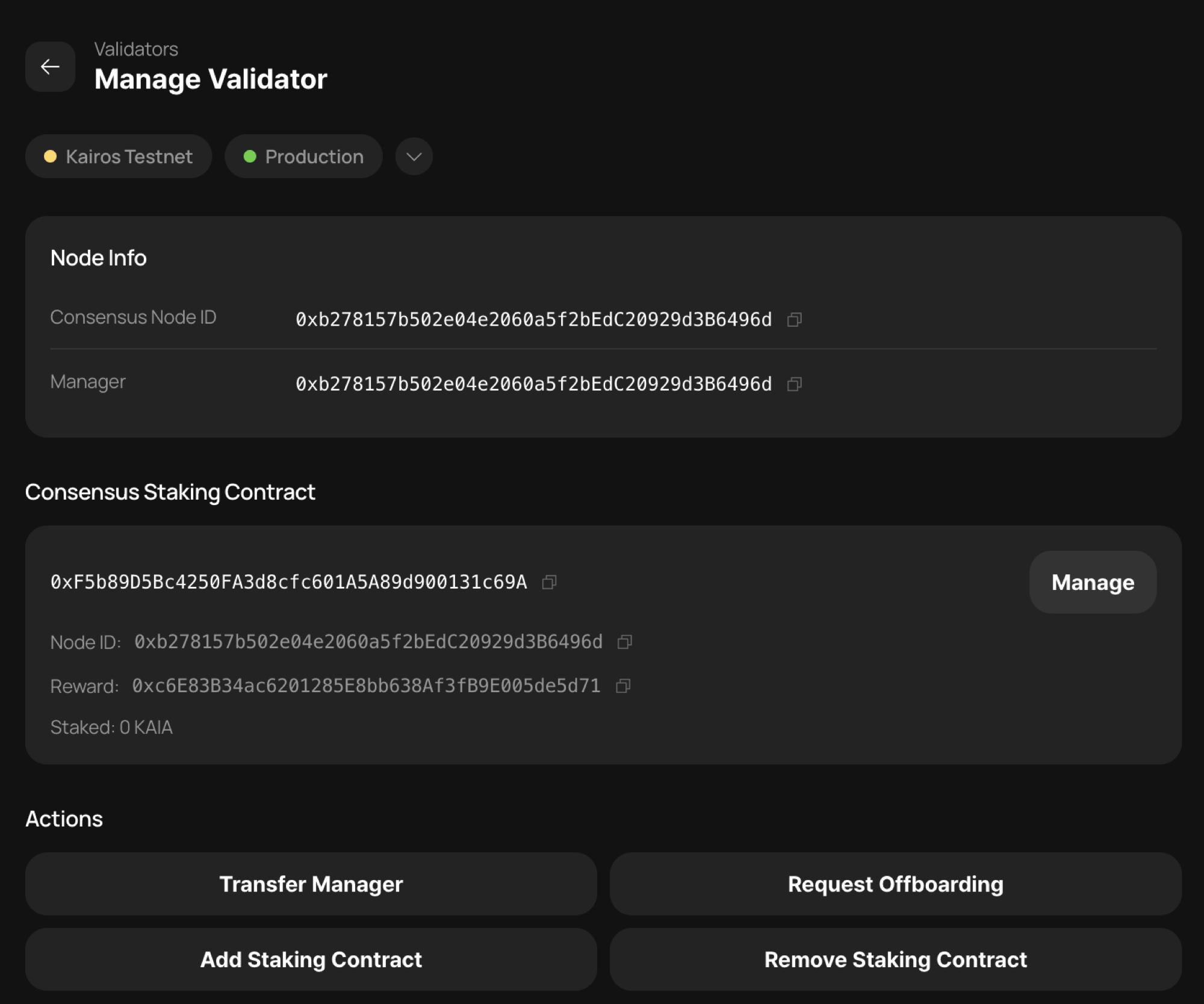
Tại đây, bạn có thể thực hiện các thao tác sau.
-
Quản lý chuyển nhượng — thay đổi tài khoản Quản lý xác thực.
-
Yêu cầu ngừng tham gia — gửi yêu cầu ngừng tham gia để loại bỏ người xác thực.
-
Thêm hợp đồng staking — thêm một hợp đồng staking phụ. Bạn có thể vận hành nhiều hợp đồng staking (hợp đồng staking đa dạng) để thực hiện các mục đích như phân tách các khoản tiền staking. Xin lưu ý rằng tính năng này sẽ không được hỗ trợ trong Giai đoạn 2 không cần xin phép, vì vậy chúng tôi khuyên bạn không nên sử dụng tính năng này trừ khi có lý do cụ thể.
-
Xóa hợp đồng staking — xóa một hợp đồng staking phụ. Thao tác này sẽ xóa một trong số các hợp đồng staking đã được đăng ký cho trình xác thực. Lưu ý rằng hợp đồng staking chính (hợp đồng staking đồng thuận) được sử dụng trong quá trình đăng ký không thể bị xóa; chỉ các hợp đồng staking phụ được thêm vào sau này mới có thể bị xóa.