本頁面使用機器翻譯自英語,可能包含錯誤或不清楚的語言。如需最準確的信息,請參閱英文原文。由於更新頻繁,部分內容可能與英文原文有出入。請加入我們在 Crowdin 上的努力,幫助我們改進本頁面的翻譯。 (Crowdin translation page, Contributing guide)
轉換為 LINE LIFF
現在是激動人心的部分--將你的 Unity WebGL 構建轉化為可通過 LINE 訪問的迷你 dApp!
第 1 步:創建您的 LIFF 應用程序
首先,讓我們在 LINE 生態系統中設置您的應用程序:
-
LINE 開發人員控制檯設置:
- 訪問 LINE 開發人員控制檯。
- 創建一個提供程序(如果已經有一個,請跳過)。
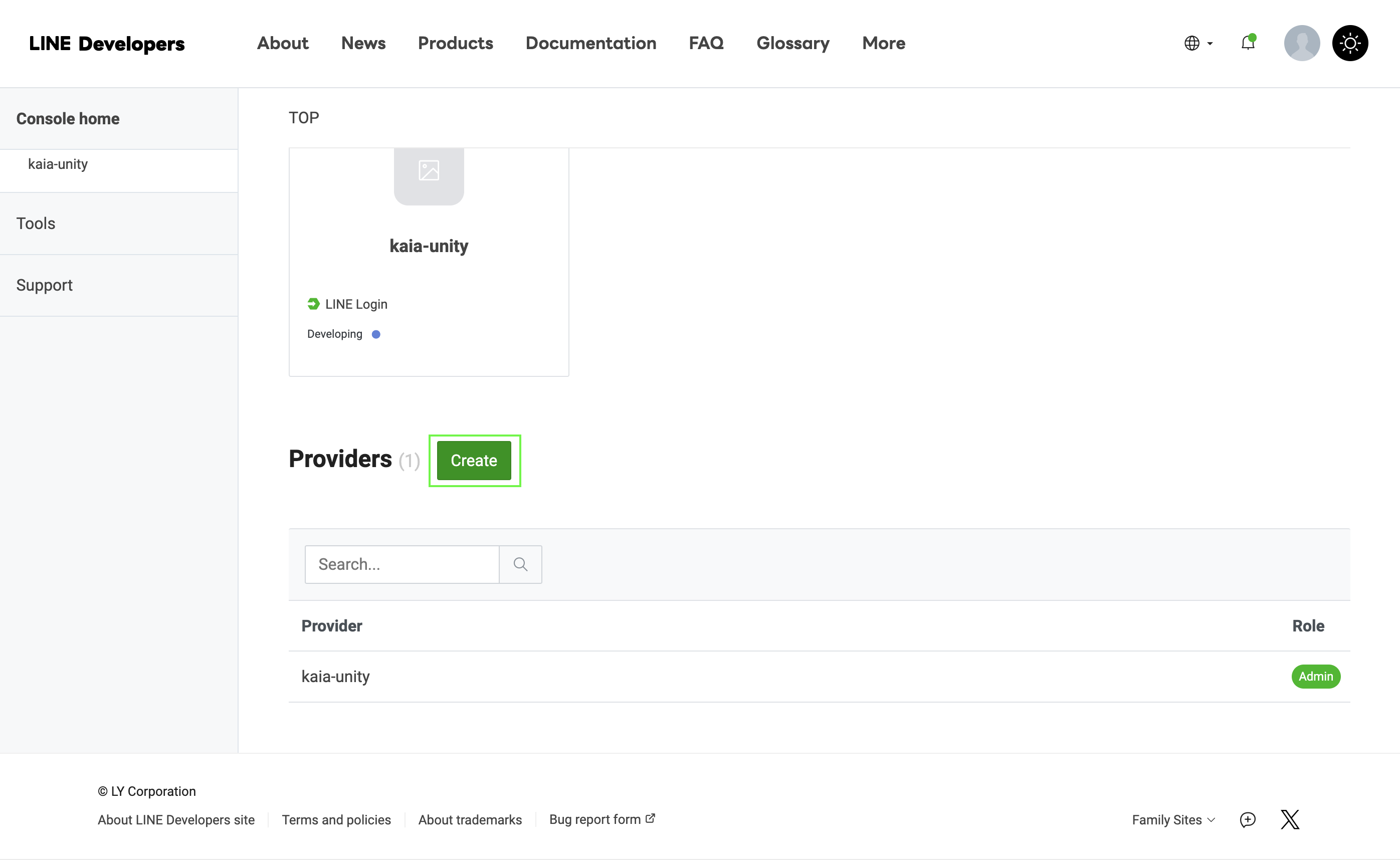
- 創建新的 LINE 登錄通道。
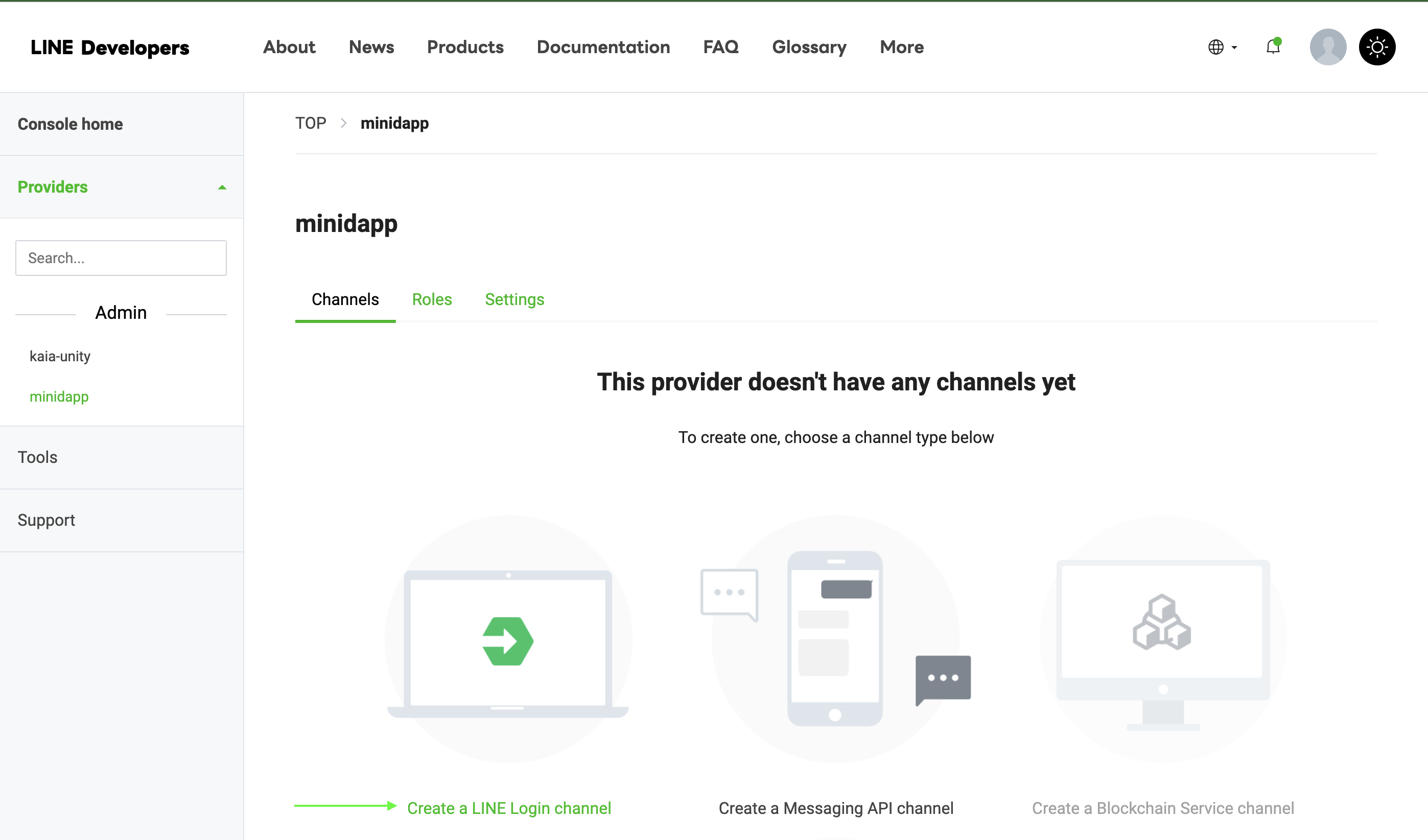
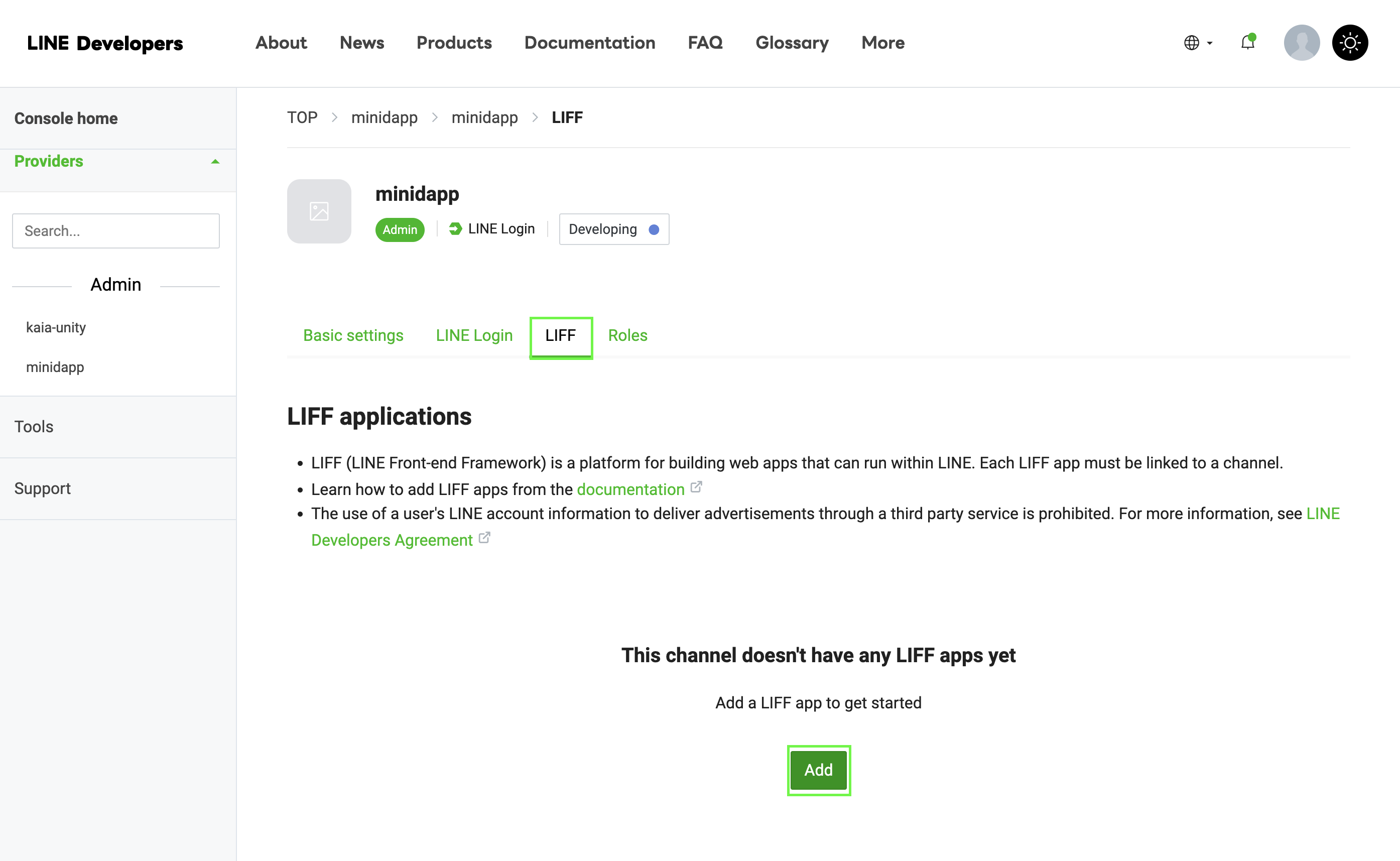
- 導航至 LIFF 選項
- 點擊 "添加 LIFF 應用程序
-
配置 LIFF 設置:
Size: Choose one of:├── Full (entire screen)├── Tall (75% of screen)└── Compact (50% of screen)Endpoint URL: https://example.com (temporary)Permissions: Enable as needed
備註
保存您的 LIFF ID - 下一步您會用到它!
第 2 步:修改 WebGL 模板
index.html 文件可幫助我們檢查 web3 是否可用、設置 LINE 集成 (LIFF)、加載 Unity 遊戲並將所有內容連接在一起。
<!DOCTYPE html><html lang="en-us"><head> <meta charset="utf-8"> <meta name="viewport" content="width=device-width, initial-scale=1.0"> <title>Unity WebGL Player</title> <script src="https://static.line-scdn.net/liff/edge/2/sdk.js"></script> <script src="scripts/dapp_portal_sdk.js"></script> <style> body { margin: 0; padding: 0; } #unity-container { width: 100%; height: 100%; position: absolute; } #unity-canvas { width: 100%; height: 100%; background: #231F20; } #unity-loading-bar { display: none; } #unity-progress-bar-empty { width: 141px; height: 18px; margin-top: 10px; background: url('Build/minidapp.progress-bar-empty-dark.png') no-repeat center; } #unity-progress-bar-full { width: 0%; height: 18px; margin-top: 10px; background: url('Build/minidapp.progress-bar-full-dark.png') no-repeat center; } </style></head><body> <div id="unity-container"> <canvas id="unity-canvas"></canvas> <div id="unity-loading-bar"> <div id="unity-progress-bar-empty"> <div id="unity-progress-bar-full"></div> </div> </div> </div> <script src="Build/minidapp.loader.js"></script> <script> var sdk = null; var connectedAddress = null; var myGameInstance = null; var Module = { onRuntimeInitialized: function() { console.log("Runtime initialized"); }, env: { MintToken: function(amount) { window.MintToken(amount); }, GetBalance: function() { window.GetBalance(); }, ConnectWallet: function() { window.ConnectWallet(); }, DisconnectWallet: function() { window.DisconnectWallet(); }, GetConnectedAddress: function() { var address = window.GetConnectedAddress(); var bufferSize = lengthBytesUTF8(address) + 1; var buffer = _malloc(bufferSize); stringToUTF8(address, buffer, bufferSize); return buffer; } } }; async function initializeSDK() { try { await liff.init({ liffId: "YOUR_LIFF_ID" // Replace with your LIFF ID }); if (!liff.isLoggedIn()) { liff.login(); } sdk = await DappPortalSDK.init({ clientId: 'YOUR CLIENT ID', // Replace with your CLIENT ID chainId: '1001' }); console.log("SDKs initialized"); return true; } catch (error) { console.error("SDK init error:", error); return false; } } window.ConnectWallet = async function() { try { if (!sdk) { const initialized = await initializeSDK(); if (!initialized) return null; } if (!liff.isLoggedIn()) { liff.login(); return; } const provider = sdk.getWalletProvider(); const accounts = await provider.request({ method: 'kaia_requestAccounts' }); if (accounts && accounts.length > 0) { connectedAddress = accounts[0]; myGameInstance.SendMessage('Web3Manager', 'OnWalletConnected', connectedAddress); } } catch (error) { myGameInstance.SendMessage('Web3Manager', 'OnWalletError', error.message); } } window.DisconnectWallet = async function() { try { if (liff.isLoggedIn()) { await liff.logout(); } const provider = sdk.getWalletProvider(); await provider.disconnect(); // Reset connected address connectedAddress = null; myGameInstance.SendMessage('Web3Manager', 'OnWalletDisconnected'); console.log("Wallet disconnected successfully"); } catch (error) { console.error("Disconnect error:", error); myGameInstance.SendMessage('Web3Manager', 'OnWalletError', "Disconnect failed: " + error.message); } } window.GetConnectedAddress = function() { return connectedAddress || ''; } window.MintToken = async function(amount) { try { const provider = sdk.getWalletProvider(); const mintSignature = '0xa0712d68'; const amountHex = amount.toString(16).padStart(64, '0'); const data = mintSignature + amountHex; const tx = { from: connectedAddress, to: '0x099D7feC4f799d1749adA8815eB21375E13E0Ddb', value: '0x0', data: data, gas: '0x4C4B40' }; const txHash = await provider.request({ method: 'kaia_sendTransaction', params: [tx] }); myGameInstance.SendMessage('Web3Manager', 'OnMintSuccess', txHash); GetBalance(); } catch (error) { myGameInstance.SendMessage('Web3Manager', 'OnMintError', error.message); } } window.GetBalance = async function() { try { const provider = sdk.getWalletProvider(); const balanceSignature = '0x70a08231'; const addressParam = connectedAddress.substring(2).padStart(64, '0'); const data = balanceSignature + addressParam; const result = await provider.request({ method: 'kaia_call', params: [{ from: connectedAddress, to: '0x099D7feC4f799d1749adA8815eB21375E13E0Ddb', data: data }, 'latest'] }); const balance = parseInt(result, 16); myGameInstance.SendMessage('Web3Manager', 'OnBalanceReceived', balance.toString()); } catch (error) { myGameInstance.SendMessage('Web3Manager', 'OnBalanceError', error.message); } } createUnityInstance(document.querySelector("#unity-canvas"), { dataUrl: "Build/minidapp.data", frameworkUrl: "Build/minidapp.framework.js", codeUrl: "Build/minidapp.wasm", streamingAssetsUrl: "StreamingAssets", companyName: "DefaultCompany", productName: "minidapp", productVersion: "0.1", }).then((unityInstance) => { myGameInstance = unityInstance; }); </script></body></html>
確保在上述代碼片段中更改您的 LIFF-ID 。
第 3 步:部署 WebGL 構建
- 為 WebGL 構建您的 Unity 項目
- 將所有構建文件上傳到網絡服務器,例如 Netlify
您的部署文件夾結構應如下所示:
Minidapp/├── Build/│ ├── minidapp.data│ ├── minidapp.framework.js│ ├── minidapp.loader.js│ └── minidapp.wasm├── scripts/│ └── dapp_portal_sdk.js└── index.html
步驟 4:最終配置和測試
- 更新您的 LIFF 端點:
- 返回 LINE 開發人員控制檯
- 查找您的 LIFF 應用程序
- 點擊 "編輯
- 更新已部署網站的 URL。
現在,您的迷你 dApp 應該可以隨時使用了。
總結
恭喜! 您已成功使用 Unity 創建了第一個 LINE mini dApp! 完成本指南後,您就實現了一個具有代幣鑄造功能的迷你 dApp。 構建 LINE mini dApp 超越了傳統的應用程序開發,而是要在用戶已經信任並每天使用的生態系統中創建無縫的 Web3 體驗。
通過 Kaia 的集成,您可以將區塊鏈功能直接帶到用戶的指尖,消除 Web3 採用的常見障礙。 LINE 的廣泛影響力與 Web3 的功能相結合,為我們創造了一個獨特的創新機會,這在以前是不可能實現的。
LINE mini dApps 的強大之處在於其多功能性和易用性。 無論您是探索新區塊鏈實施方法的開發人員,還是希望提高客戶參與度的企業,抑或是尋求創造新穎數字體驗的創新者,該平臺都能為您提供實現願景所需的所有工具。
有關開發 LINE mini dApp 的更多詳細信息,請瀏覽這些綜合資源: