Unwrap legacy WKLAY to KAIA
The official, canonical WKAIA (formerly WKLAY) contract on Kaia Mainnet is 0x19Aac5f612f524B754CA7e7c41cbFa2E981A4432, the established standard across the Kaia ecosystem. See Canonical WKAIA for background.
If you interacted with older dapps or marketplaces that used early token wrappers, you may still hold a balance in the legacy WKLAY contract 0xfd844c2fca5e595004b17615f891620d1cb9bbb2. No dapp front end unwraps that contract for you, so you have to call it directly through the block explorer.
This guide walks through doing that on Kaiascan.
The two contracts are unrelated deployments. Check the token contract address in your wallet or in the transaction that gave you the balance before you start — the steps below only recover funds from the legacy contract. To unwrap canonical WKAIA, see Unwrap canonical WKAIA.
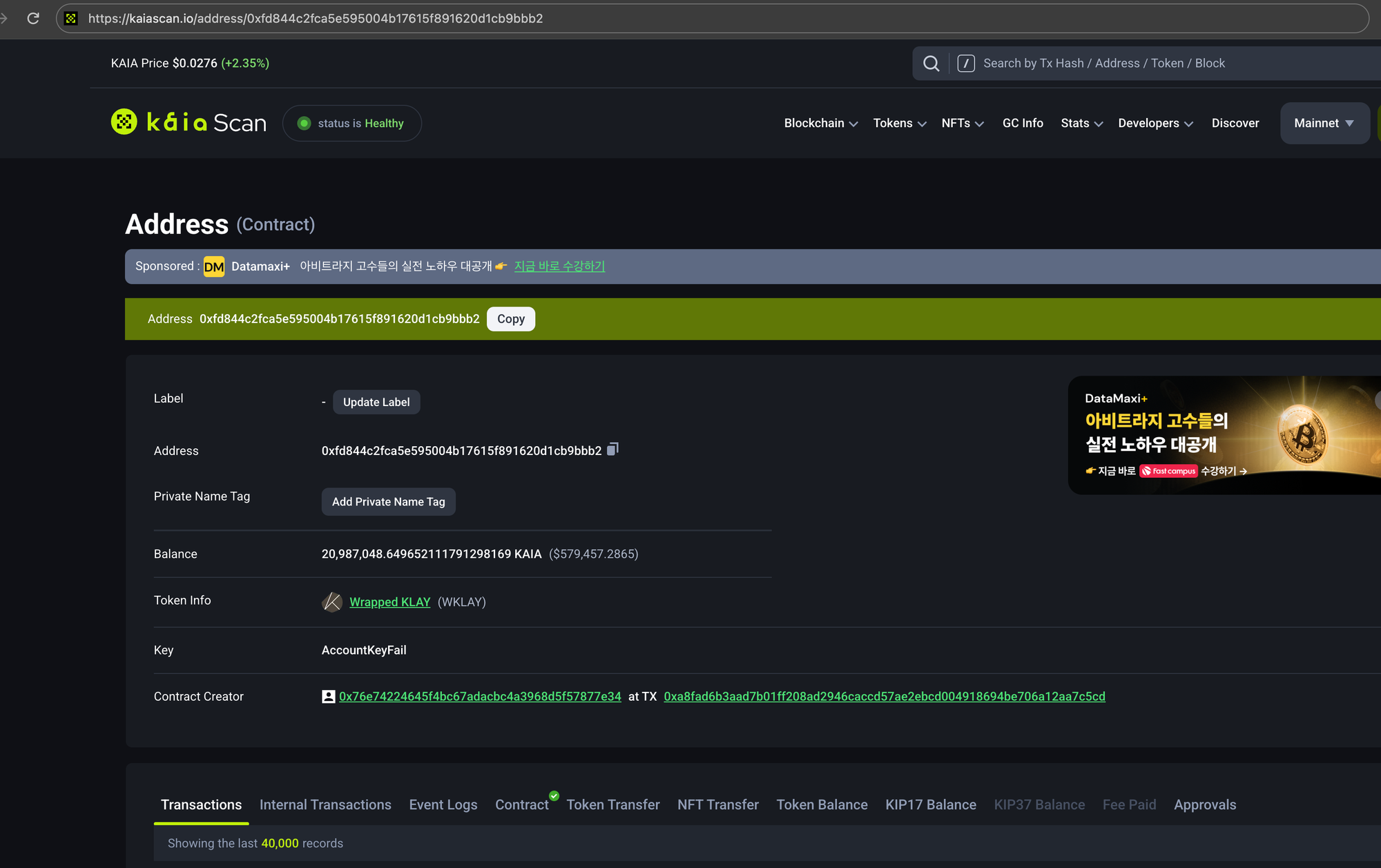
Step 1: Open the legacy contract
Go to the legacy contract's page on Kaiascan:
https://kaiascan.io/address/0xfd844c2fca5e595004b17615f891620d1cb9bbb2
Step 2: Read your exact balance
- Select the Contract tab, then Read Contract.
- Expand the
balanceOf(address)function and enter your wallet address. - Click Query (or Requery) to fetch your balance.
- Copy the returned value exactly as shown.
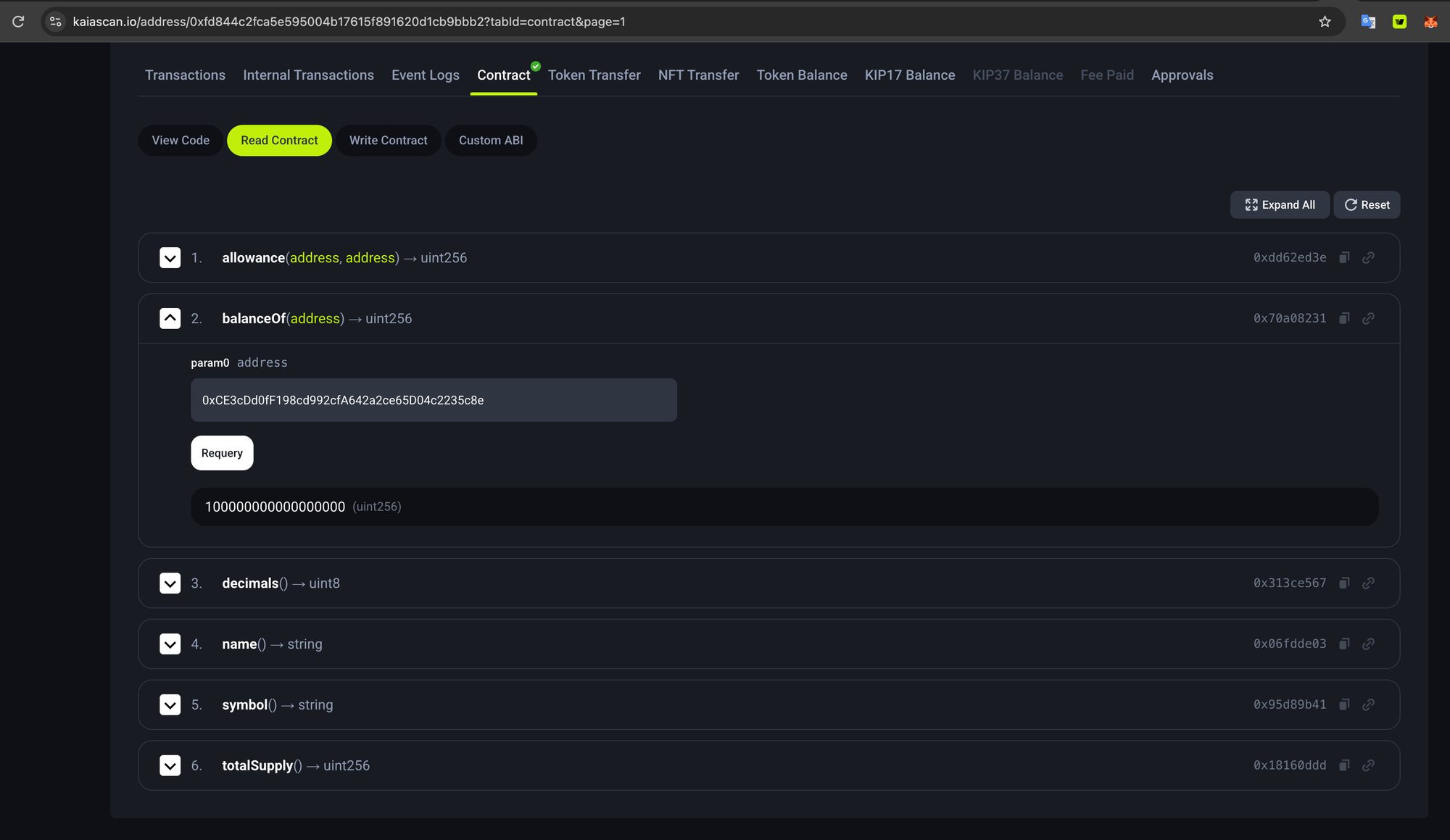
balanceOf returns the balance in kei, the smallest unit, not in KAIA. 1 KAIA is 1018 kei, so a balance of 100000000000000000 is 0.1 KAIA.
Step 3 expects that same raw number. Paste it unchanged — do not round it, strip digits, or convert it to KAIA, or you will withdraw the wrong amount or the transaction will revert.
Step 3: Withdraw your tokens
- Switch to the Write Contract tab.
- Click Connect to Web3 and connect the wallet that holds the balance.
- Expand the
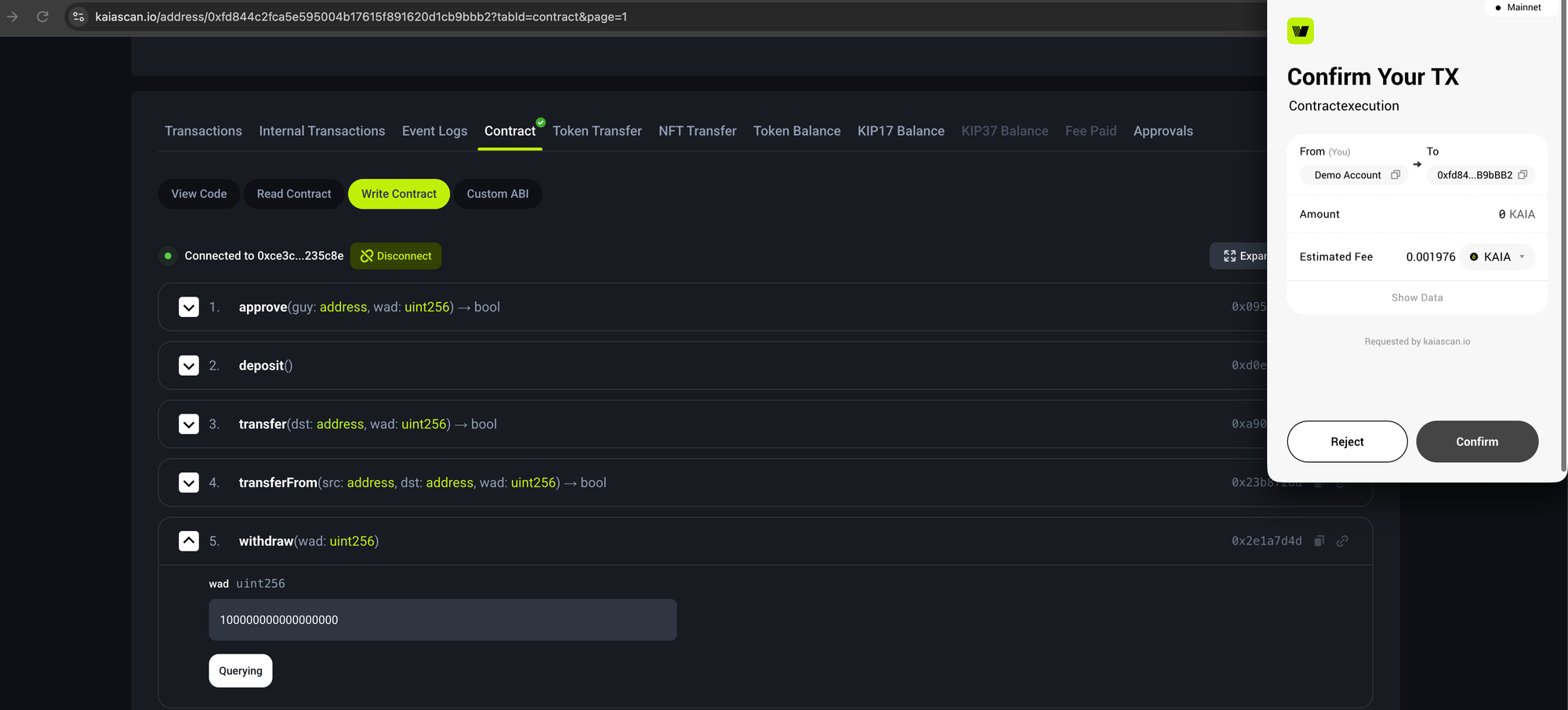
withdraw(wad: uint256)function and paste the exact value you copied in Step 2. - Submit, then confirm the transaction in your wallet.
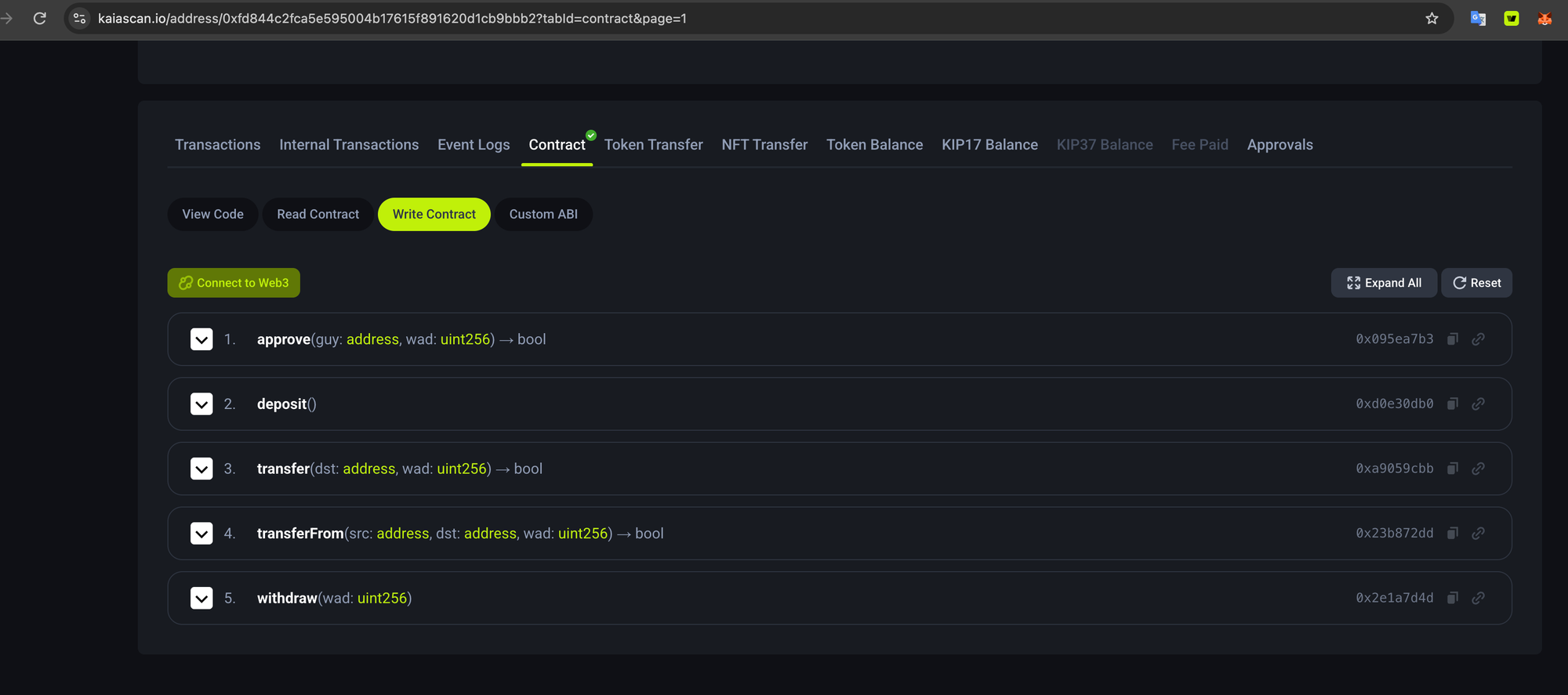
You need a small amount of KAIA in the same wallet to pay the gas fee for this transaction.
Step 4: Verify
Once the transaction confirms, check your wallet balance — the unwrapped KAIA is credited to the same address that sent the transaction.
You can confirm the transfer on the transaction's Internal Transactions tab in Kaiascan, since the contract returns KAIA as an internal transfer rather than a token transfer. Here is an example of a successful unwrapping transaction.
Unwrap canonical WKAIA
If your balance is in the canonical WKAIA contract 0x19Aac5f612f524B754CA7e7c41cbFa2E981A4432 instead, you have two options.
Use a dapp (recommended). Kaia ecosystem swap services unwrap canonical WKAIA in one click — for example DragonSwap.
Do it manually. Follow the same Kaiascan steps above, using the canonical contract's address page instead of the legacy one.
Related
- Canonical WKAIA — the standard wrapped KAIA implementation
- Contract addresses — deployed system contract addresses on Mainnet and Kairos